AI tabular review across the document set
Get one sortable table for the whole document set, with an answer to each question for every document and the clause cited in each cell. You set the questions, upload the documents and ask follow-up questions about the table in chat.
3-day free trial on one matter. No setup fee.
Attorneys draft, review and research with AtlasAI, starting from their best past work.



An associate finds short termination rights across supplier contracts
Halden Logistics, an M&A matter.
What AtlasAI reads
 iManage
 SharePoint

 Halden Logistics24 supplier contractsSharePointNotice of 90 days for termination for convenienceMaya Ortiz, Associate
You ask
The Halden contracts with termination for convenience on less than 30 days of notice, each with the clause cited in the table
The associate defines the questions
Maya Ortiz uploads the 24 Halden supplier contracts and asks for the term, the liability cap, change of control and governing law.
AtlasAI fills the table
AtlasAI reads each contract and fills one row per contract, with a citation in each cell.
The associate asks a follow-up
Maya Ortiz asks which contracts allow termination for convenience on less than 30 days of notice, and AtlasAI answers from the table.
The associate checks
Maya Ortiz opens each cited clause, confirms the notice periods and exports the table for Dana Chen.
Mass extraction
Answers from every document of a set
Set the questions and upload the document set, and AtlasAI extracts a structured answer from every file. Key terms, dates, parties and provisions appear in a searchable table, with one row per document and one column per question.
- Structured questionsAn attorney asks for the termination clauses, the governing law and the liability caps of every vendor contract in the set.
- Hundreds or thousandsAtlasAI reads sets of hundreds or thousands of contracts, pleadings, agreements and other documents.
- Data roomsAtlasAI answers the questions across an unsorted data room and reorganizes the documents into a folder structure.
Flagged departures
Departures from firm positions flagged
AtlasAI compares each answer with your firm's positions and flags each departure in the table. Filter the table to the flagged cells and open the clause behind each flag.
- Against the playbookAtlasAI marks each answer as matching, departing, at the fallback position or missing.
- OutliersFilter the table to the outliers, such as a liability cap below your firm's position.
- The source in each cellEach flagged cell opens the source clause, with the language highlighted.
Chat with the results
Questions about the extracted results
Once extraction finishes, ask follow-up questions about the table, filter by criteria and open specific documents from the results. AtlasAI cites the cells and clauses behind each answer.
- Follow-up questionsAn attorney asks which contracts allow termination for convenience on less than 30 days of notice, and AtlasAI answers from the table.
- FiltersFilter and sort the table by any column, such as governing law or renewal date.
- Cited answersEach answer in chat cites the cells and the clauses behind the answer.
Export and workflows
The table exported to the closing checklist
Export the data for further analysis, or save the questions as a workflow for the next document set. On Professional and Enterprise, AtlasAI agents apply a saved review to a new set, such as 36 supplier NDAs, with your checkpoint before the output.
- XLSX exportExport the table as XLSX for the closing checklist or the client report.
- Saved questionsSave a set of questions for each type of review, such as supplier contracts or NDAs.
- Agentic WorkflowsAtlasAI agents apply a saved review to each new set, and you approve the output.
From documents to structured data
Upload documents
Upload hundreds or thousands of documents: contracts, pleadings, agreements and any other text.
Define questions
Set the questions for every document: key terms, dates, clauses or custom criteria.
Extract answers
AtlasAI reads every document and fills a sortable, filterable table with structured answers and source citations.
Analyze results
Ask questions about the results, filter by criteria, flag outliers and export the data.
Built for the security review of a law firm
AtlasAI runs the security program on the SOC 2 Trust Services Criteria, and the AtlasAI security team shares the current audit status and the control documentation with your security reviewers. Under NDA, your security reviewers receive the AtlasAI Security and Compliance Posture Report and 12 corporate policies. Each deploying firm also receives the penetration test results.
Your deployment
Run AtlasAI in the AtlasAI cloud or in your firm’s Azure subscription, with the same controls in both.
Your permissions
AtlasAI agents read only the documents each user may open, with your iManage permissions and ethical walls applied to every step.
Your data
AtlasAI trains no model on your data, and every approved model provider works under zero data retention terms.
Your audit log
AtlasAI logs every question, answer and agent step. The managed service keeps the log for 365 days, with export, and a self-hosted deployment streams the log into your SIEM.
Related capabilities
Document Analysis
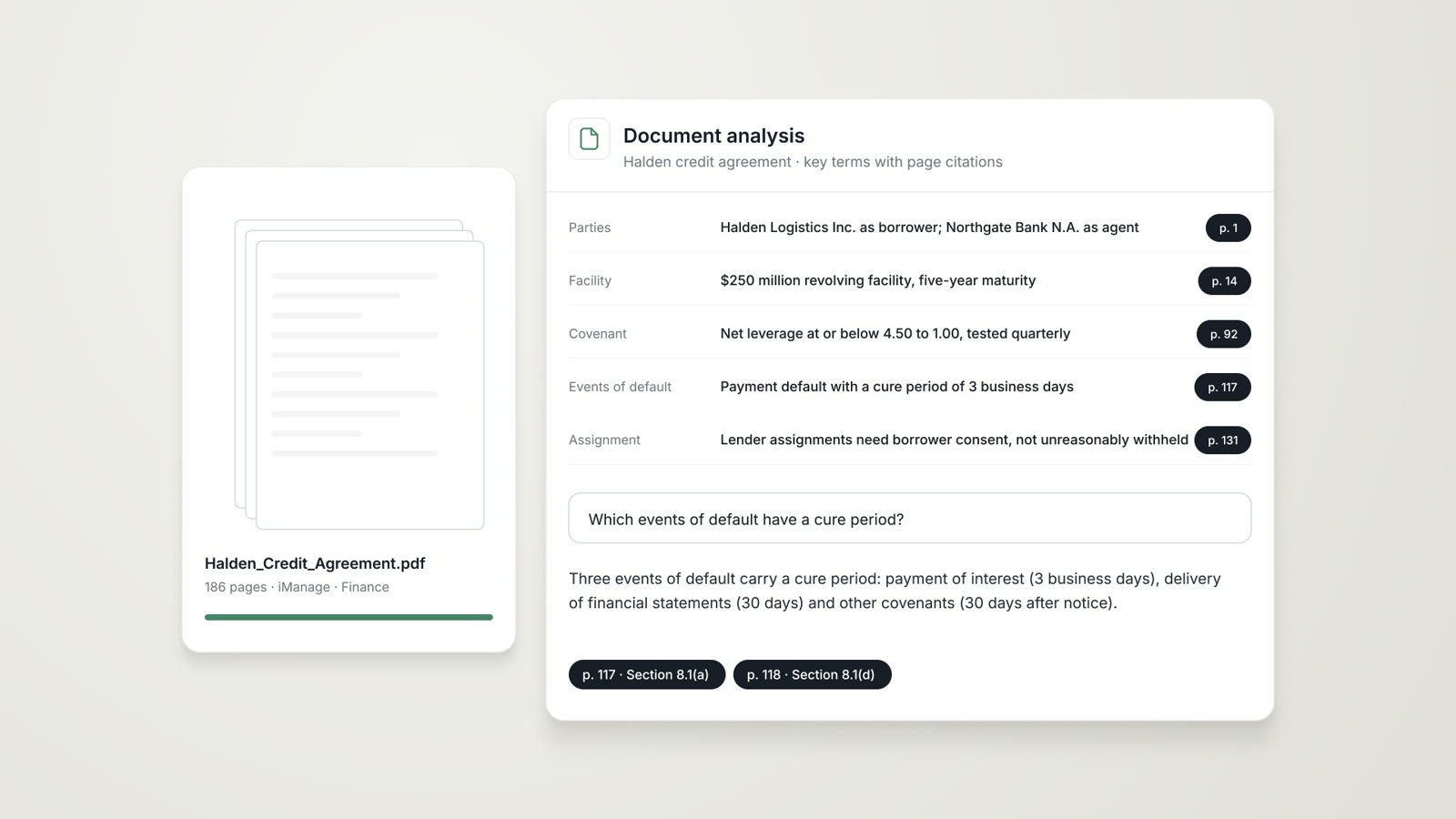
A risk assessment, the extracted clauses and a plain-language summary of any contract, pleading or agreement, each finding cited.
Read more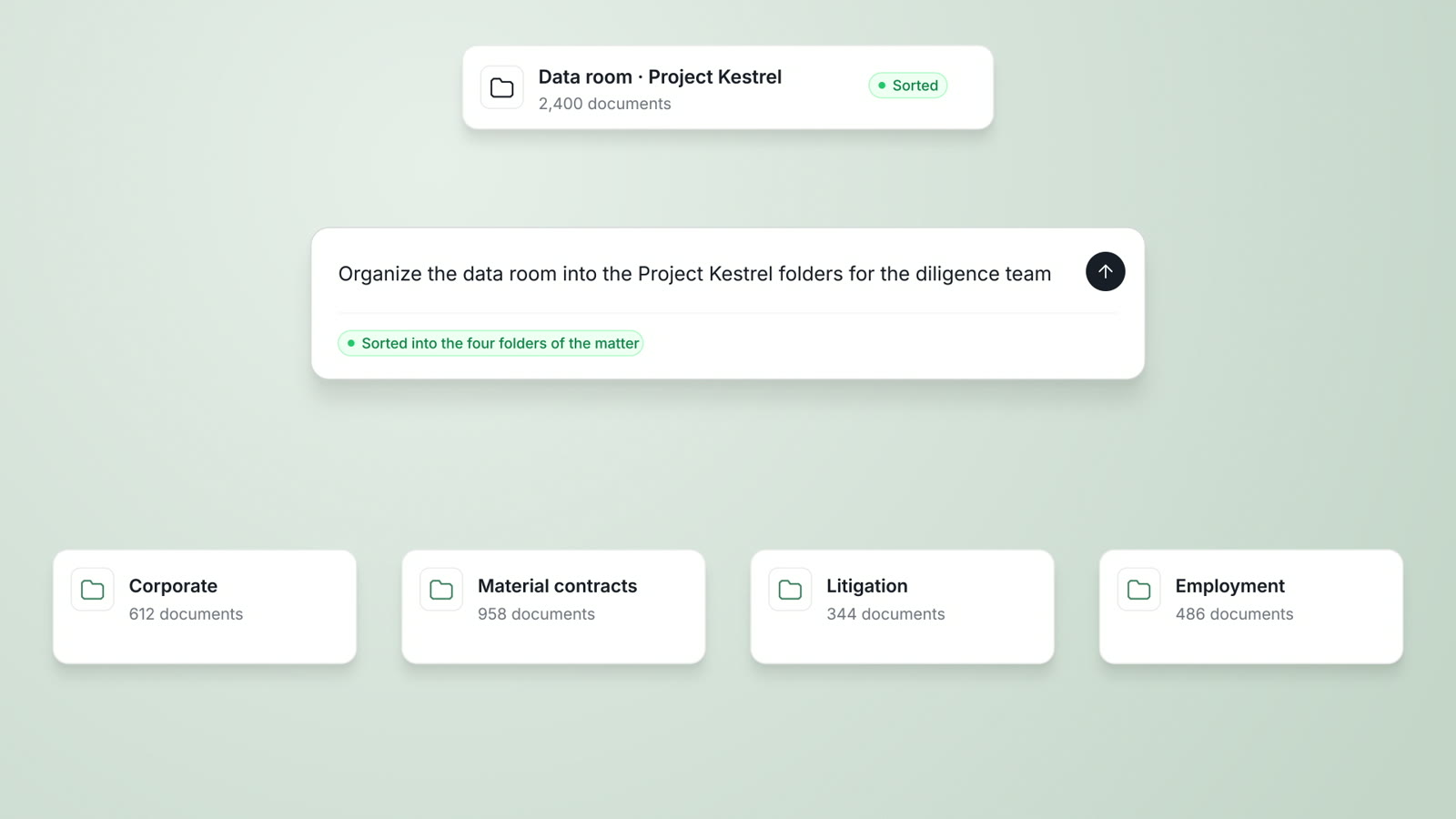
AI due diligence
Structured questions across a full data room, risk flags against firm positions and a cited diligence memo for partner review.
Read moreData Analysis
Billing entries, financial statements and transaction data analyzed, with anomalies flagged and each finding tied to the source rows.
Read moreQuestions attorneys ask
What is Tabular Review?
Tabular Review answers the same questions across every document in a set. You get one table, with one row per document, one column per question and a citation in each cell.
How many documents can one review cover?
A review covers sets of hundreds or thousands of documents, such as the contracts of a data room or the agreements of a portfolio company.
How do I load the document set?
Upload the documents, or on Professional and Enterprise select the documents in iManage or SharePoint under your existing access rights.
Which questions can I ask?
Ask for any key term, date, party, clause or custom criterion, such as the liability cap, change of control or termination for convenience.
How do I check a cell?
Each cell cites the clause in the source document. Open the cell, read the clause with the language highlighted and confirm or correct the answer.
Can I ask questions about the table?
Yes. Ask follow-up questions in chat, filter by criteria and open specific documents, and each answer cites the cells behind it.
Which plan includes Tabular Review?
Tabular Review is part of the Professional plan at $99 per user per month, with a minimum of 5 users. Every plan starts with a 3-day free trial on one matter.
Does AtlasAI train models on reviewed documents?
No. Under the Master Subscription Agreement, AtlasAI uses no customer data to train, fine-tune or improve any model, and every approved model provider works under zero data retention terms.