A legal knowledge graph of every matter and accepted position
Ask which indemnity caps your firm accepted on past deals, and AtlasAI answers from the signed agreements, with each cap cited. AtlasAI agents build the knowledge graph behind the answer from your matters, parties, clauses, obligations and defined terms. On Professional, AtlasAI also builds the graph from iManage and SharePoint.
3-day free trial on one matter. No setup fee.
Attorneys draft, review and research with AtlasAI, starting from their best past work.


Connected to the systems your firm already uses
AtlasAI reads documents, matters and positions from the systems your firm already uses, and applies each system’s permissions to every answer.
 iManage
Workspaces, folders and documents from iManage Work, with new versions saved back to the workspace.
 SharePoint
Sites and document libraries, indexed with each library's permissions.

Workspaces and documents from NetDocuments, read with each attorney's access rights.

Clients, matters and attorney assignments from Intapp, so every answer starts from the matter.
A partner asks which indemnity caps the firm accepted
Project Loom, a private equity M&A matter.
What AtlasAI reads
iManageSharePointProject LoomSharePointIndemnity cap at 10% of the purchase priceiManageBrightwell Holdings SPA, signedDana Chen, Partner, Private EquityYou ask
The indemnity caps the firm accepted across prior private equity deals, with the cap at 10% of the purchase price on Brightwell, each cited to the signed agreement
The partner asks
Dana Chen asks which positions the firm has taken on indemnification caps in private equity deals, for the Loom negotiation.
AtlasAI reads the graph
AtlasAI follows the graph from the private equity matters to the indemnification clauses and each matter's accepted positions.
AtlasAI answers
The answer lists the caps by deal, with the cap at 10% of the purchase price on Brightwell, and cites each signed agreement.
The partner decides
Dana Chen opens Section 8.3 of the Brightwell agreement and sets the Loom position at the same cap.
Agentic curation
Every matter, clause and position in one graph
Your firm's knowledge is spread across document systems. AtlasAI agents read iManage, SharePoint, OneDrive and your matter workspaces continuously and build one knowledge graph from every source.
- EntitiesThe graph links every matter, party, client, clause, obligation and defined term, with each matter's accepted positions and signed precedents.
- Kept in syncAtlasAI keeps the graph in sync as attorneys save new documents.
- Permissions to the documentAtlasAI applies the source document's permissions to each passage in the graph.
Questions partners ask
Questions answered from your firm's matters
Ask questions that span matters, and AtlasAI answers at the level of the matter, the counterparty and the clause, citing the underlying documents.
- Client historyAsk what work your firm has done for a client and which clauses you negotiated, and AtlasAI answers from every matter for that client.
- CounterpartiesAsk which counterparties your firm has faced in cross-border arbitration, with the jurisdiction, tribunal and outcome of each matter.
- PositionsAsk which positions your firm has taken on indemnification caps, and AtlasAI cites the signed agreement behind each position.
Precedent by clause type
Precedent found by defined term and clause type
Find precedent by defined term and clause type, not keyword fragments. Ask where your firm negotiated change of control covenants before, and AtlasAI returns every precedent your private equity team handled.
- Clause typesAtlasAI classifies each clause by type, such as change of control, indemnification or governing law.
- Defined termsAtlasAI links each defined term to every agreement that uses the term.
- The governing clauseDescribe the clause, client, buyer and year, and AtlasAI narrows the results to the matching clause.
Drafting and agents
Drafting and agents on the graph
AtlasAI starts each new draft from a closed matter's signed agreement, with the positions your firm accepted, and every agent reads the graph before each step. Each closed matter adds to the graph, so your next draft starts from more precedent.
- Drafts from precedentStart a new draft from a signed agreement, with the closed matter's accepted positions.
- Agents with contextEvery agentic workflow reads your firm's matters, positions and precedents before each step.
- In your deploymentThe graph is stored in your firm's Azure subscription or in the AtlasAI cloud, separated from every other firm.
The entities of the knowledge graph
AtlasAI links each entity to the documents behind it, so every answer cites the source.
| Entity | What AtlasAI connects | A question the entity answers |
|---|---|---|
| Matter | The client, the counterparties, the documents and the outcome of each matter | What work have we done for this client? |
| Party | Each client and counterparty across every matter | Which counterparties have we faced in cross-border arbitration? |
| Clause | Each clause by type, with the matter and the agreement | Where have we negotiated change of control covenants before? |
| Obligation | Each obligation with the party, the agreement and the date | Which obligations of the client fall due this quarter? |
| Defined term | Each defined term with every agreement that uses the term | Which agreements define Material Adverse Effect with a pandemic carve-out? |
| Accepted position | The position your firm accepted on each matter, with the signed precedent | Which indemnity caps did we accept in private equity deals? |
Built for the security review of a law firm
AtlasAI runs the security program on the SOC 2 Trust Services Criteria, and the AtlasAI security team shares the current audit status and the control documentation with your security reviewers. Under NDA, your security reviewers receive the AtlasAI Security and Compliance Posture Report and 12 corporate policies. Each deploying firm also receives the penetration test results.
Your deployment
Run AtlasAI in the AtlasAI cloud or in your firm’s Azure subscription, with the same controls in both.
Your permissions
AtlasAI agents read only the documents each user may open, with your iManage permissions and ethical walls applied to every step.
Your data
AtlasAI trains no model on your data, and every approved model provider works under zero data retention terms.
Your audit log
AtlasAI logs every question, answer and agent step. The managed service keeps the log for 365 days, with export, and a self-hosted deployment streams the log into your SIEM.
Related capabilities
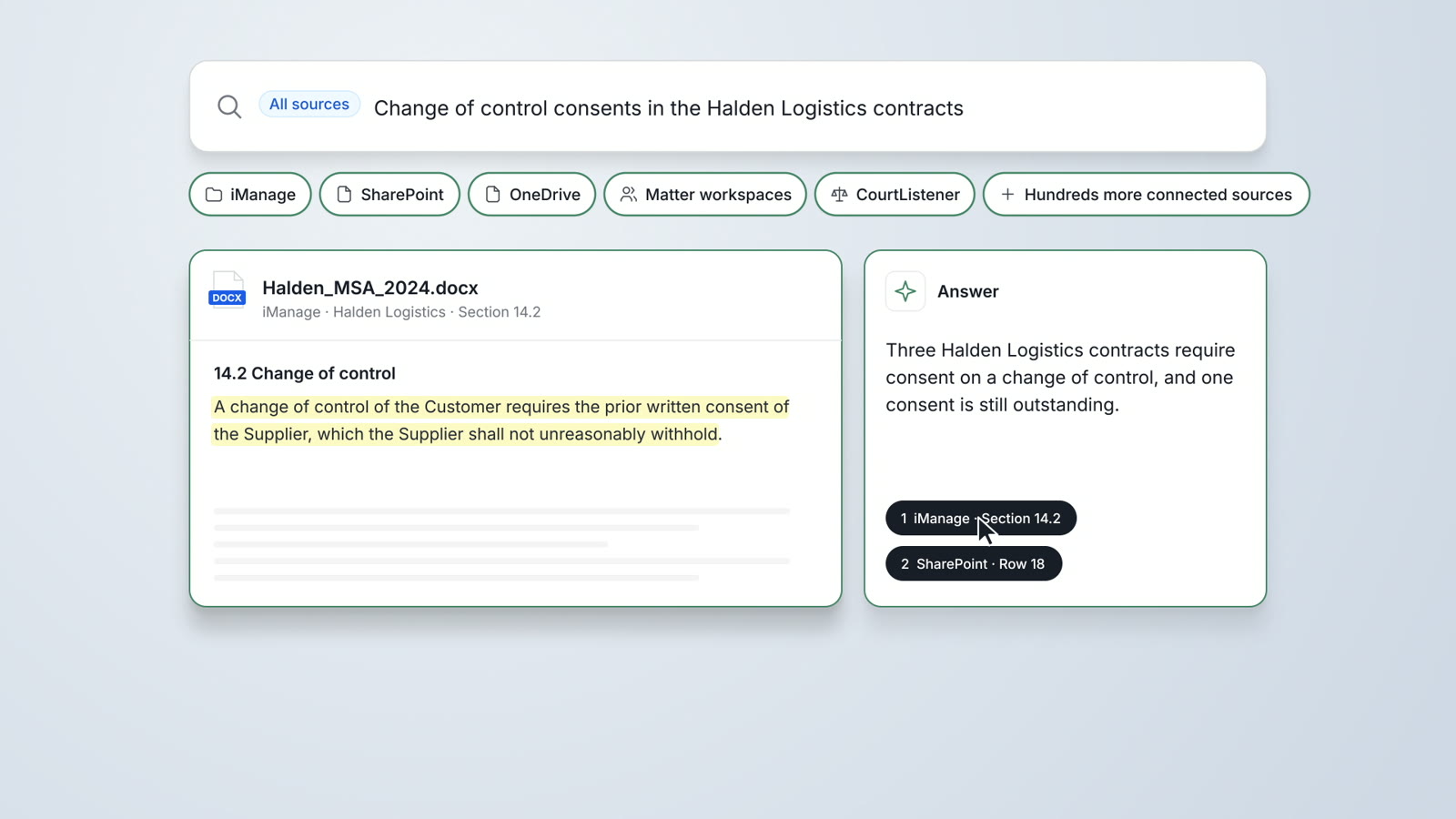
Enterprise Search
One search across iManage, SharePoint, OneDrive, matter workspaces and CourtListener, with a cited answer and the original document.
Read more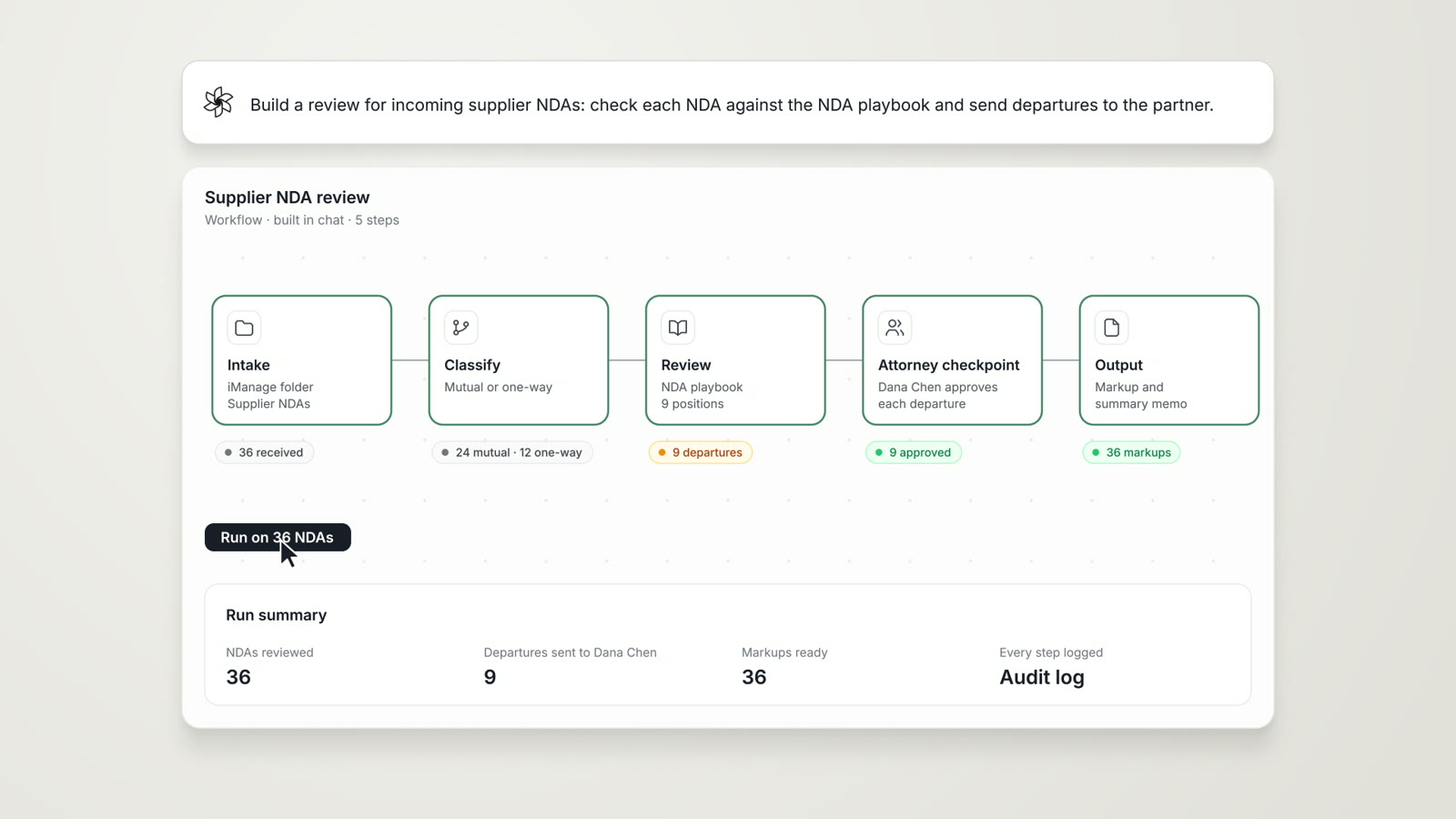
Agentic Workflows
Research, analysis, extraction and reporting chained into one cited work product, with an attorney checkpoint.
Read more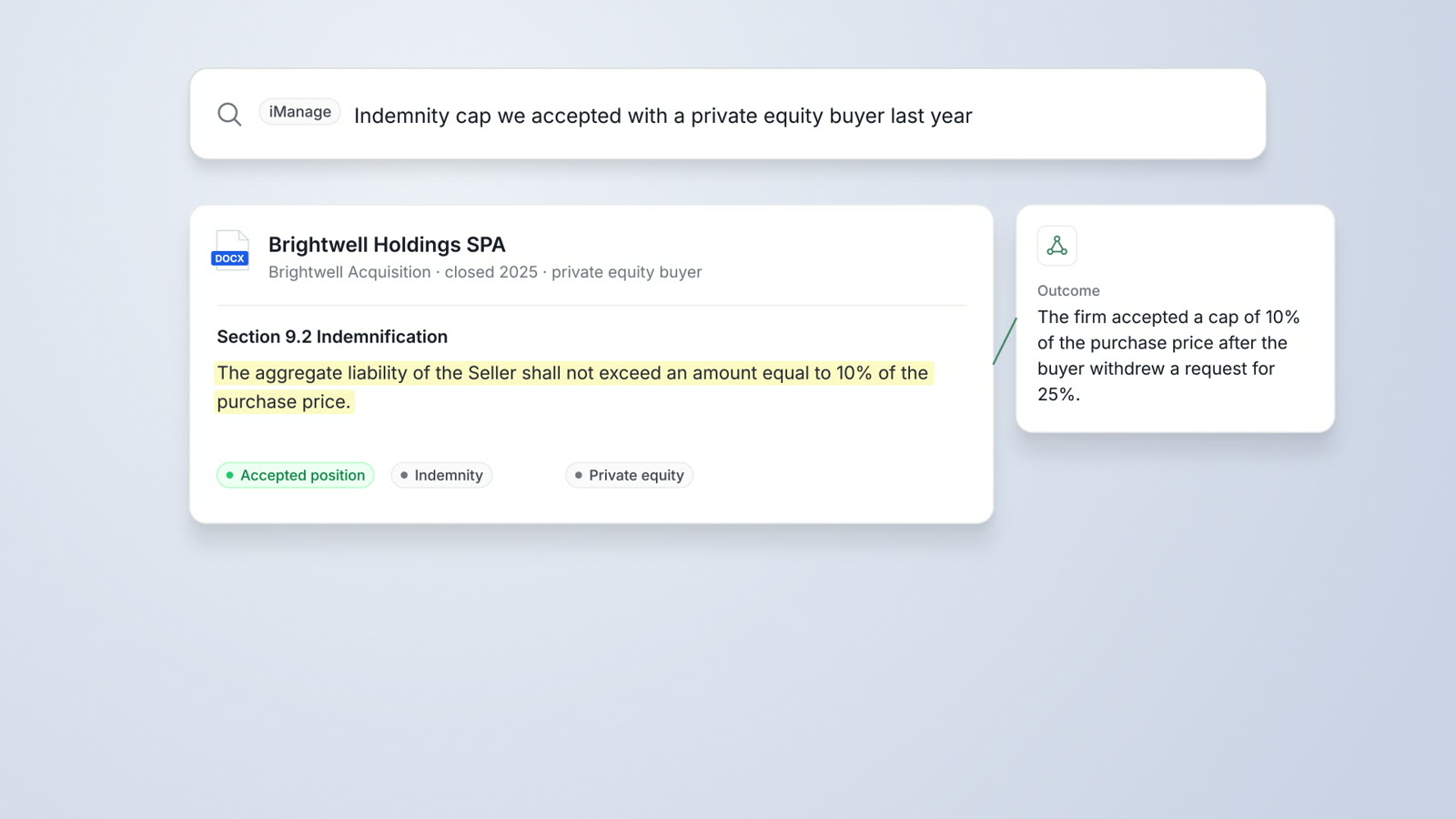
DMS Integration
iManage Work, SharePoint and OneDrive connected, with iManage permissions and ethical walls applied and results saved back.
Read moreQuestions attorneys ask
What is the AtlasAI Knowledge Graph?
The AtlasAI Knowledge Graph connects your firm's matters, parties, clients, clauses, obligations, defined terms, accepted positions and signed precedents, and links every entry to the source documents.
What is an accepted position?
An accepted position is a term your firm agreed to in a signed deal, such as an indemnity cap at 10% of the purchase price. AtlasAI reads each closed matter's signed agreement, states each accepted position with the clause cited, and you confirm each position against the source.
Which sources does AtlasAI read into the graph?
AtlasAI agents read iManage, SharePoint, OneDrive and your matter workspaces, together with the documents you upload.
Will a user see passages from documents that user may not open?
No. AtlasAI applies each source document's permissions and your firm's ethical walls to every passage, so each user gets answers only from documents that user may open.
Where is the graph stored?
The graph is stored in your firm's Azure subscription or in the AtlasAI cloud, separated from every other firm. Enterprise firms may choose a dedicated logical database.
How does the graph stay current?
AtlasAI agents read the connected systems continuously, so new documents and closed matters reach the graph as attorneys save the documents.
Which plan includes the Knowledge Graph?
The Knowledge Graph and the iManage, SharePoint and NetDocuments integrations are part of the Professional plan, at $99 per user per month with a minimum of 5 users. Every plan starts with a 3-day free trial on one matter.
Does AtlasAI train models on the graph?
No. Under the Master Subscription Agreement, AtlasAI uses no customer data to train, fine-tune or improve any model.