How to choose AI for your firm
The best AI for a law firm answers from your firm's documents, cites every source and respects your walls. Use the four tests below to compare tools, then try AtlasAI on one matter.
3-day free trial on one matter. No setup fee.
Attorneys draft, review and research with AtlasAI, starting from their best past work.



Test 1: Citations
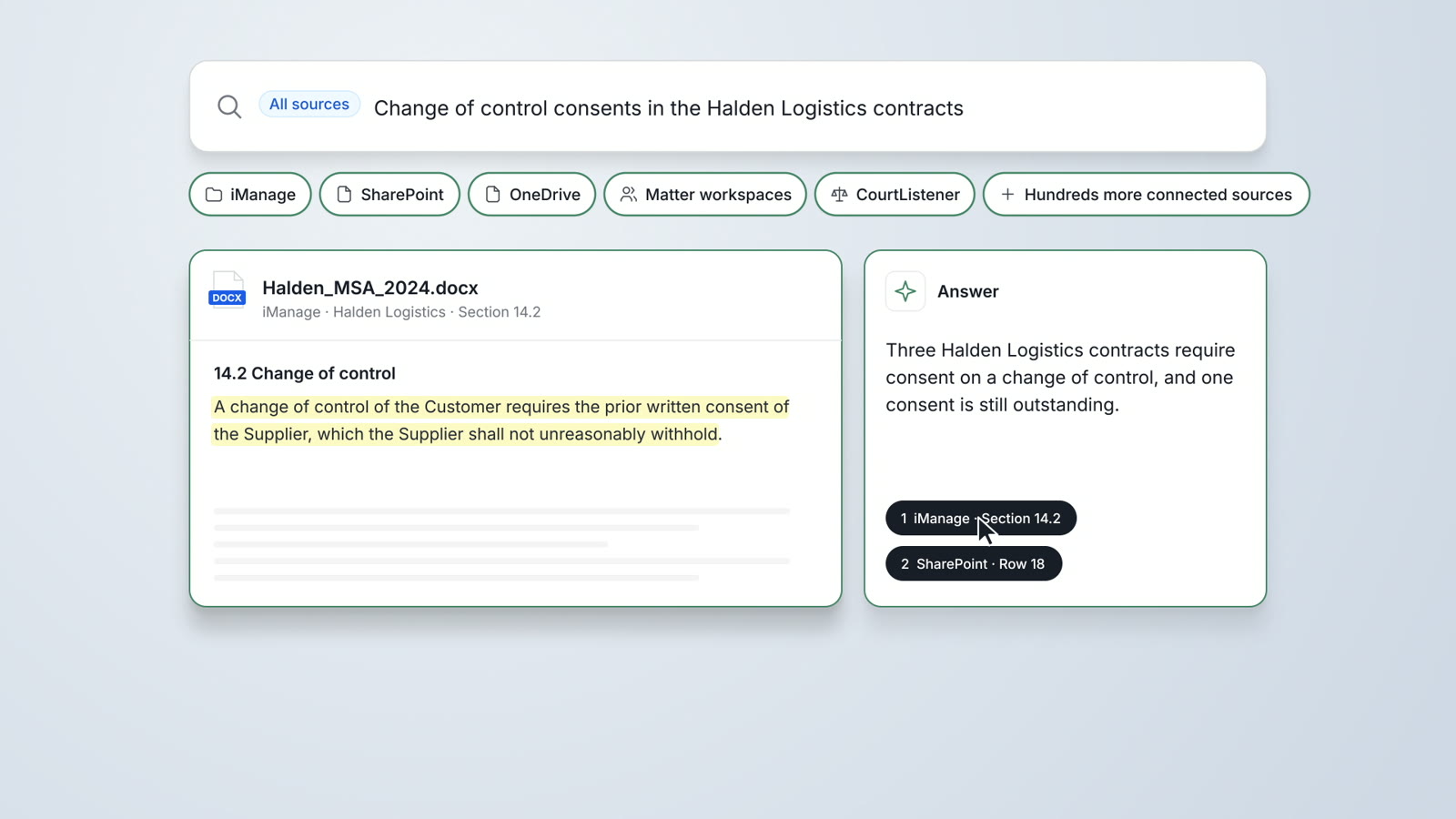
Every answer cites the source
Ask the tool a question about one of your matters and check each statement against its source. AtlasAI cites the passage in the original document for every statement, and AtlasAI verifies every opinion in CourtListener.
- Statement by statementEach statement links to the passage that supports the statement.
- Verified case lawAtlasAI checks every cited opinion in CourtListener.
- Open the sourceOpen the original document at the cited passage.
Test 2: Your documents
Answers from your firm's documents
A general chat assistant answers from public text. Legal AI for a law firm answers from your matters, precedents and playbooks in iManage, SharePoint and OneDrive.
- Your DMSAtlasAI reads iManage, SharePoint, OneDrive and matter workspaces.
- Your precedentAtlasAI drafts from your firm's signed agreements.
- Your playbooksAtlasAI reviews drafts against your positions and fallbacks.
Test 3: Controls
Walls, permissions and audit logs
Check that the tool applies your ethical walls and document permissions to every answer, logs every question and answer, and trains no model on your data. AtlasAI does all three, in the AtlasAI cloud or in your firm's Azure subscription.
- Ethical wallsAtlasAI applies iManage permissions and ethical walls to every answer.
- Audit logsAtlasAI logs every question, answer and agent step.
- No trainingAtlasAI uses no customer data to train any model.
Test 4: Price
Published prices and a free trial
Compare published prices per user, and test each tool on a real matter before you sign. AtlasAI Starter costs $25 per user per month, Professional costs $99, and every plan starts with a 3-day free trial.
- Starter$25 per user per month, with no user minimum.
- Professional$99 per user per month, with practice management included.
- Free trial3 days on one matter, with no setup fee.
The work AI handles at a law firm
Law firms use AI to draft agreements from precedent, review contracts against playbooks, run due diligence across data rooms, research case law and manage the practice itself. Each task depends on the firm's documents, so the best tool reads those documents with the firm's permissions.
A small firm needs legal AI and practice management in one place: matters, intake, time, billing, drafting and research. A large firm needs enterprise search across iManage and SharePoint, ethical walls on every answer and deployment under the firm's controls. AtlasAI covers both on one platform.
Built for the security review of a law firm
AtlasAI runs the security program on the SOC 2 Trust Services Criteria, and the AtlasAI security team shares the current audit status and the control documentation with your security reviewers. Under NDA, your security reviewers receive the AtlasAI Security and Compliance Posture Report and 12 corporate policies. Each deploying firm also receives the penetration test results.
Your deployment
Run AtlasAI in the AtlasAI cloud or in your firm’s Azure subscription, with the same controls in both.
Your permissions
AtlasAI agents read only the documents each user may open, with your iManage permissions and ethical walls applied to every step.
Your data
AtlasAI trains no model on your data, and every approved model provider works under zero data retention terms.
Your audit log
AtlasAI logs every question, answer and agent step. The managed service keeps the log for 365 days, with export, and a self-hosted deployment streams the log into your SIEM.
Related pages
The guide to legal AI
What legal AI is, the five workflows where legal AI delivers value, seven evaluation questions and a 90-day rollout plan.
Read more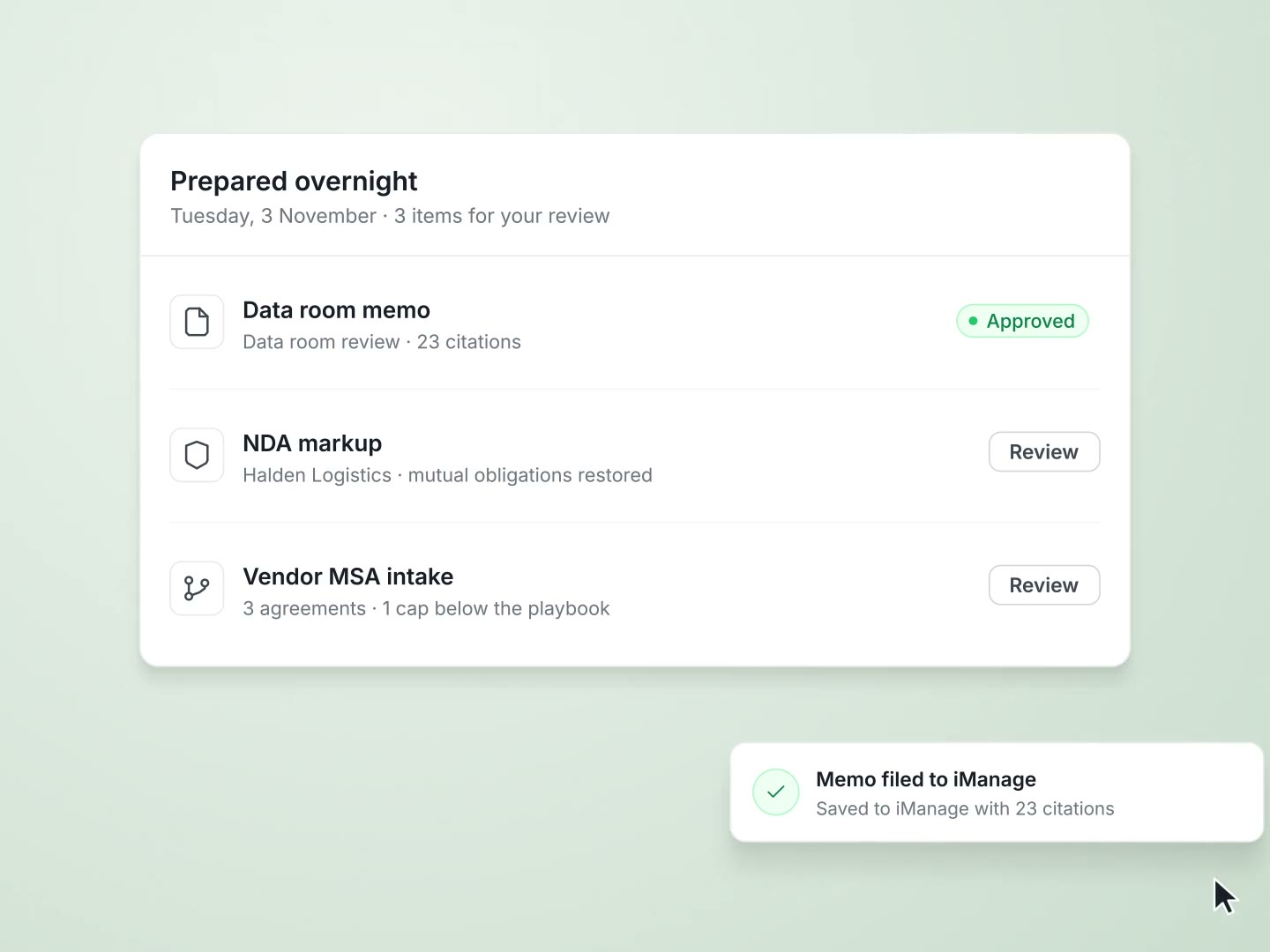
AI for lawyers
Cited answers from firm precedent, document analysis, verified legal research and one search across your firm's systems.
Read more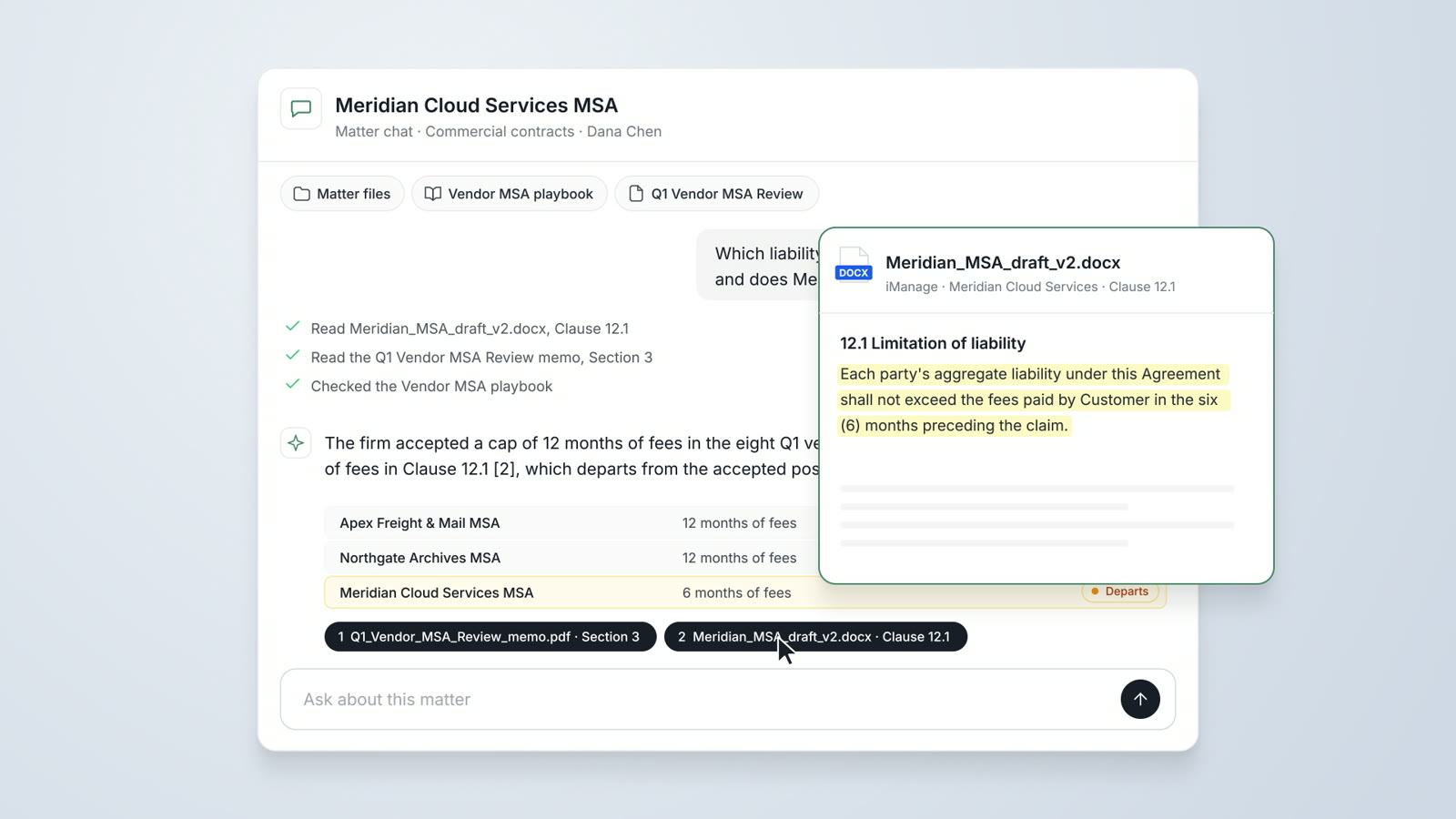
Per-user pricing for legal teams
Every plan is priced per user, and every plan starts with a 3-day free trial on one matter.
Read moreQuestions about choosing legal AI
What is the best AI for law firms?
The best AI for a law firm answers from the firm's documents with citations, applies the firm's walls and permissions, and fits the firm's budget. AtlasAI passes all four tests on this page, with plans from $25 per user per month.
What is the best AI for small law firms?
A small firm needs practice management and legal AI on one platform. AtlasAI Professional combines matters, intake, time, billing, drafting and research for $99 per user per month.
What is the best AI for large law firms?
A large firm needs enterprise search across iManage and SharePoint, ethical walls on every answer and deployment under the firm's controls. AtlasAI runs in the AtlasAI cloud or in your firm's Azure subscription.
Is legal AI safe for client data?
Legal AI is safe for client data when the tool applies your permissions, logs every step and trains no model on your data. AtlasAI meets each condition.
Which AI tools do law firms use for contract review?
Law firms use AI that reviews each contract against the firm's playbook and cites every finding. AtlasAI reviews contracts in Microsoft Word and across whole data rooms with Tabular Review.
How do I try AtlasAI?
Start a 3-day free trial on one matter, or book a demo with the AtlasAI team.