Practice management, grounded in the genius of you
AtlasAI combines matters, client intake, time, billing, workflows and reports with the knowledge graph of the firm, in the most context-rich practice management platform for small firms. AtlasAI Professional starts at $99 per user per month.
3-day free trial on one matter. No setup fee.
AtlasAI is in use at firms like Fried Frank. Agents read the matters, positions and precedents of each firm, and attorneys decide.



Matter management
Every matter on one page
Each matter page holds the matter number, the status, the client and parties, the tasks, the key dates, the notes, the documents, the time and the activity of the matter. The Matters hub lists every matter the attorney may open, in the Register, Calendar, Reports and Intake views.
- Matter templatesThe firm defines a template for each matter type with the default fields, the tasks and due dates, the key dates, the folders and the workflows to start, and AtlasAI applies the template when the matter opens.
- Register and saved viewsThe attorney filters, groups and saves views of every matter, and imports or exports the register as a CSV file.
- Calendar feedEach attorney subscribes to a private feed of key dates and task due dates in Outlook, Google Calendar or Apple Calendar.
Client intake
Intake that opens the matter
A prospective client completes a form on the website of the firm, follows an emailed link or answers the AtlasAI intake assistant. AtlasAI summarizes each submission, assesses the fit against the profile of the firm, checks every party for conflicts and drafts the follow-up for attorney approval.
- Forms from a descriptionThe attorney starts from one of six templates, from a blank form or from a description that AtlasAI turns into a form with conditional questions.
- Conflict check by partyAtlasAI checks the client and every other party against the contacts and matters of the firm before the consultation.
- Engagement by e-signatureWhen the client signs the engagement letter, AtlasAI opens the matter with the intake answers, the contacts and the documents of the prospective matter.
Time and billing
Time captured from the work
Timers run on the AtlasAI server and stay in view on every page. AtlasAI suggests time entries from the work sessions of each attorney on documents and matters, and the attorney accepts each entry in the week grid. AtlasAI drafts each invoice from the billable time and expenses of the matter and files the invoice PDF in the matter.
- Suggested timeAtlasAI proposes an entry for each work session on a document or a matter, with the matter, the activity and the minutes.
- Rates and incrementsThe firm sets timekeeper rates, matter rates and the billing increment, and AtlasAI applies the rates in order on every entry.
- Budgets and receivablesThe attorney sets a budget for each matter, and AtlasAI compares the billable time and expenses with the budget and lists receivables by age.
Workflows and reports
Workflows that start on matter events
AtlasAI starts a published workflow on a form submission, a new matter, a status change, a pipeline stage change, an overdue task or an approaching key date. Matter reports count matters by status, practice area, type and responsible attorney, and AtlasAI lists every matter that needs attention.
- Every matter tool in the builderAtlasAI agents complete each workflow step with the matter tools of chat: the agents draft the client update, add the task and request the approval of the attorney.
- Attention signalsAtlasAI lists overdue tasks, key dates within 7 days, inactive matters, budgets at 80 percent and legal holds without an acknowledgment.
- Scheduled reportsAn attorney requests any matter report in chat, and AtlasAI delivers the report to each recipient on the schedule of a monitoring workflow.
One platform for the practice
AtlasAI keeps every area on the same matter, so every answer, draft, task and invoice includes the context of the matter.
Matter management
Matter pages, the register, templates, tasks, key dates, contacts, notes, legal holds and the firm calendar.
Matter managementClient intake
Forms, the intake assistant, the AI review, the conflict check, the pipeline and the engagement letter.
Client intakeTime and billing
Timers, the week grid, suggested time, rates, expenses, budgets and invoices.
Time and billingDeal management
The matter read as a deal, with stages, values, deal fields and deal activity for private equity firms.
Deal managementAgentic workflows
Workflows on matter events and schedules, built in chat with every matter tool.
Agentic workflowsFrom an intake form to an invoice
Varga v. Harlan Freight LLC, an employment matter at a small firm.
Elena Varga completes the intake form
Elena Varga answers the employment intake form on the website of the firm, and AtlasAI files the submission in the intake inbox.
AtlasAI reviews the intake
AtlasAI summarizes the claim, assesses the fit against the profile of the firm, checks Harlan Freight LLC and Elena Varga against 1,240 contacts and proposes the employment litigation template.
Dana Chen engages the client
Dana Chen approves the follow-up and sends the engagement letter for e-signature, and AtlasAI opens matter 2026-0142 with the intake answers when Elena Varga signs.
AtlasAI applies the template
AtlasAI adds the answer deadline, the initial disclosures date, the first tasks and the deadline workflow from the employment template.
AtlasAI suggests the time
AtlasAI suggests 1.4 hours from the work of Dana Chen on the draft answer, and Dana Chen accepts the entry in the week grid.
Dana Chen issues the invoice
AtlasAI drafts invoice INV-2026-0087 from the time and the filing fee, and Dana Chen issues the invoice with the PDF filed in the matter.
What $99 per user per month includes
AtlasAI Professional includes every practice management area, the knowledge graph and DMS integration, with a minimum of 5 users.
| Area | Included in AtlasAI Professional |
|---|---|
| Matters | Matter pages, the register, templates, tasks, key dates, contacts, notes, legal holds and the firm calendar |
| Client intake | Forms, the intake assistant, the AI review, the conflict check, the pipeline and engagement letters by e-signature |
| Time and billing | Timers, the week grid, suggested time, rates, expenses, budgets and invoices |
| Workflows | Triggers on matter events, schedules, monitoring workflows and the workflow builder |
| Reports | Matter reports, attention signals, time and spend reports and receivables by age |
| Deal management | The deal board, deal fields and deal activity for private equity firms |
| Context | The knowledge graph, Enterprise Search, Chat with citations, drafting, Tabular Review and DMS integration |
Related pages
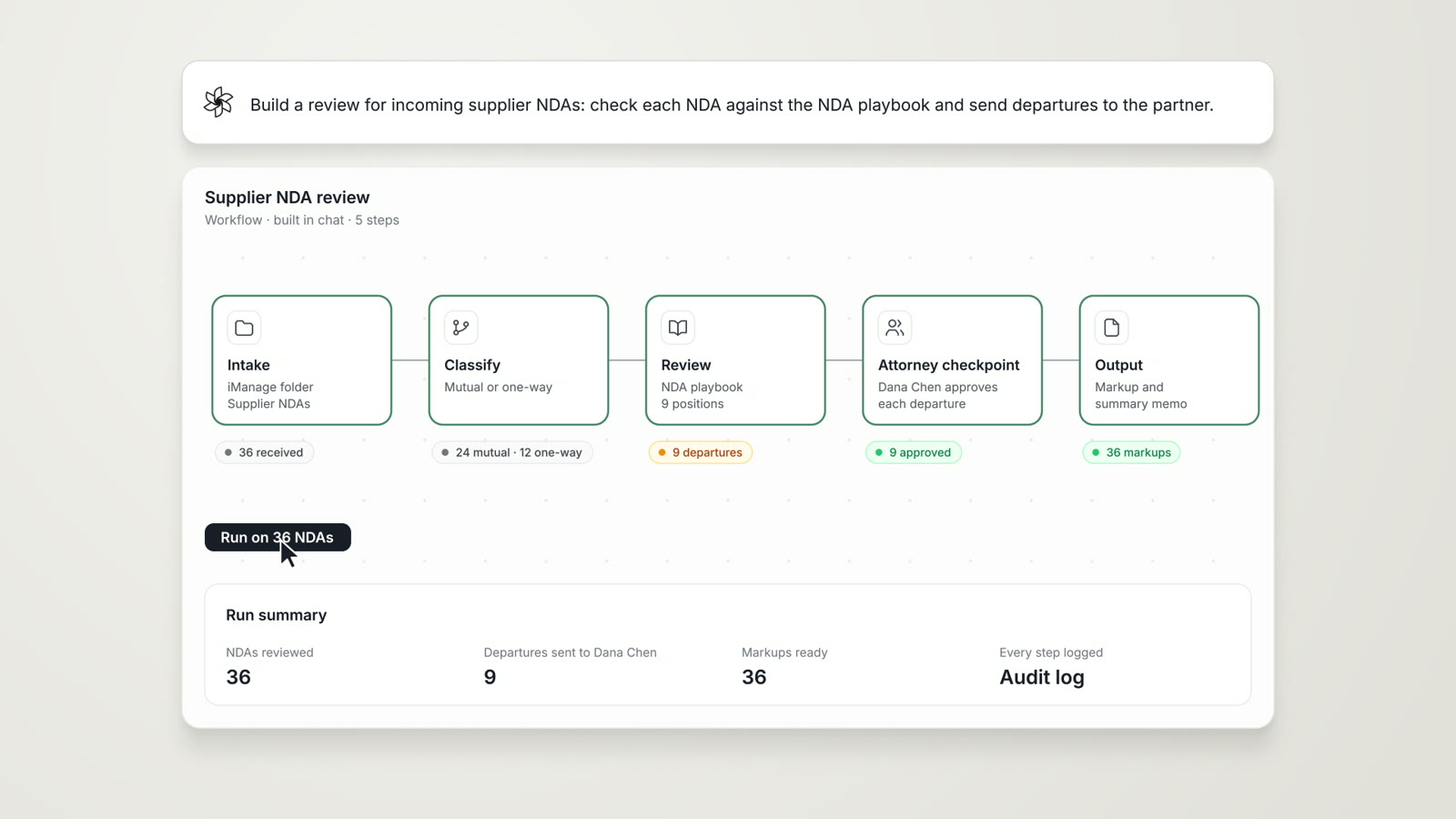
Agentic Workflows
Research, analysis, extraction and reporting chained into one cited work product, with an attorney checkpoint.
Read more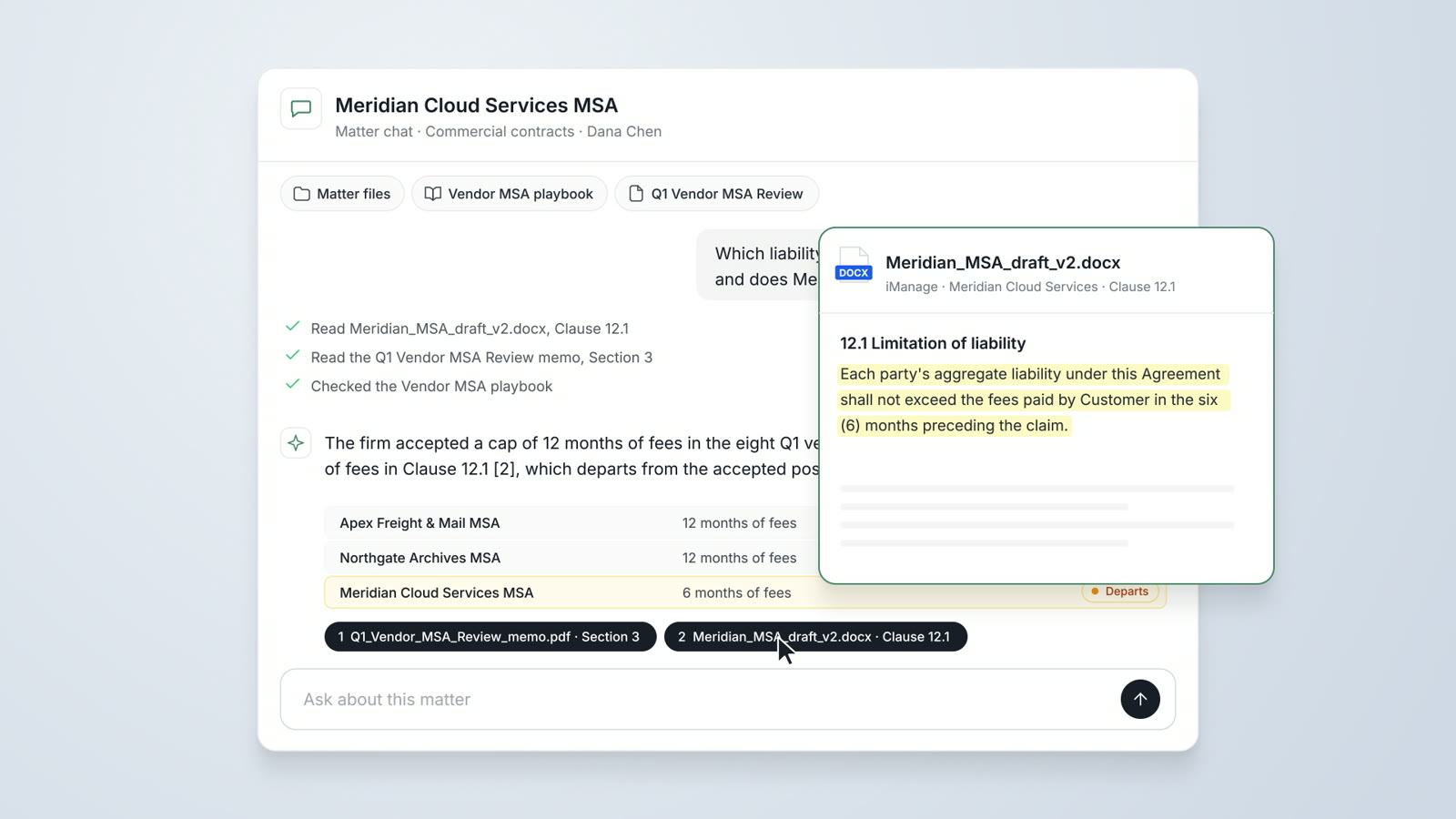
Per-user pricing for legal teams
AtlasAI prices every plan per user and includes a 3-day free trial on one matter.
Read more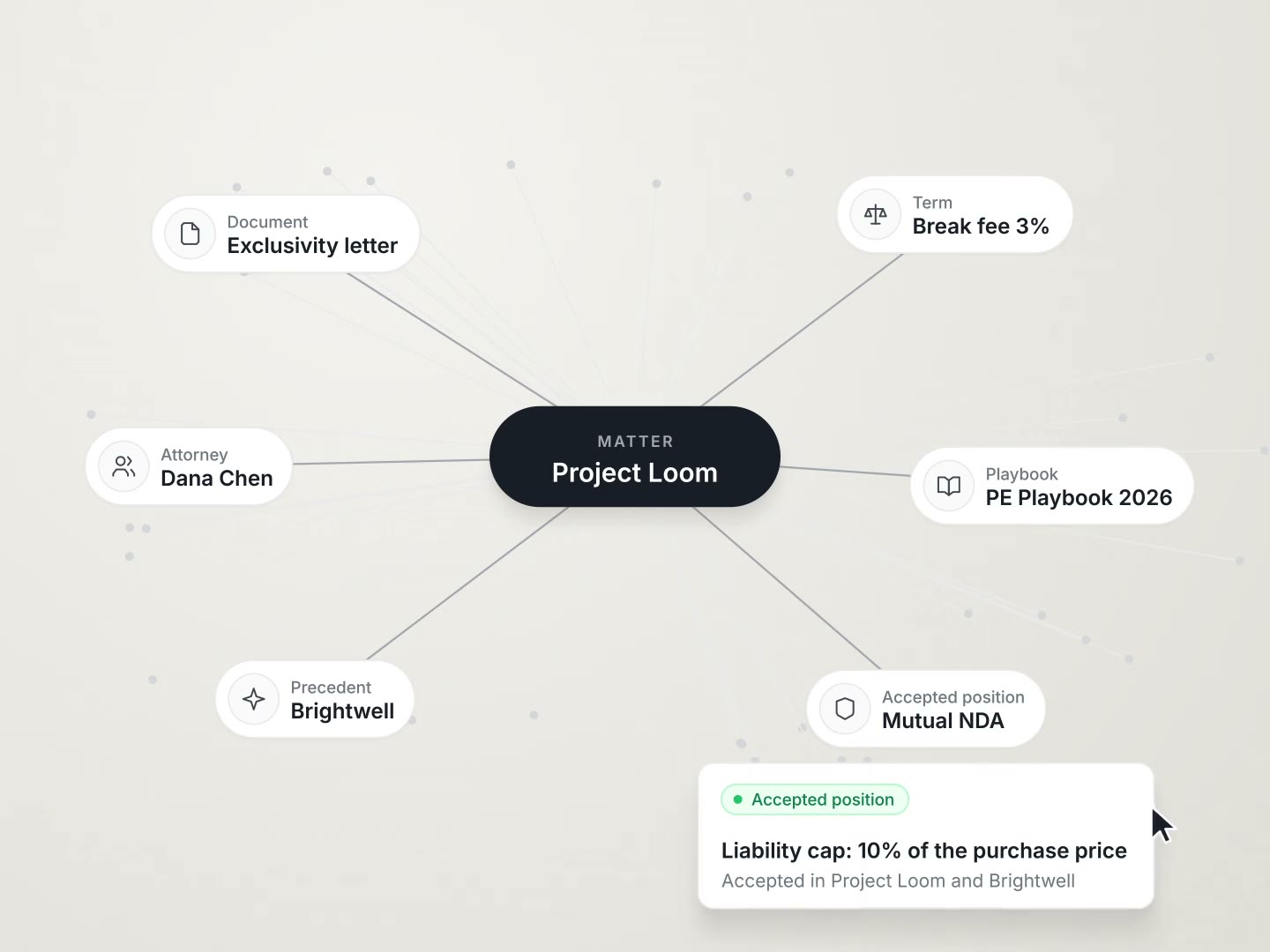
Knowledge Graph
The matters, parties, clauses, obligations and defined terms of the firm in one graph, cited on every answer.
Read morePractice management questions
What does AtlasAI practice management include?
AtlasAI practice management includes matter pages, the matter register, matter templates, tasks, key dates, contacts, notes, legal holds, the firm calendar, client intake, the pipeline of prospective matters, time and expenses, budgets, invoices, workflows on matter events and matter reports.
How much does AtlasAI practice management cost?
AtlasAI Professional costs $99 per user per month, with a minimum of 5 users, and includes practice management, the knowledge graph, Tabular Review, DMS integration and Legal Research. Every plan starts with a 3-day free trial on one matter.
Which firms use AtlasAI practice management?
Small firms, growing firms and legal departments use AtlasAI practice management, and AtlasAI Professional starts at 5 users.
How does AtlasAI suggest time entries?
AtlasAI measures the work sessions of each attorney on documents and matters, and proposes a time entry with the matter, the activity and the minutes. The attorney accepts, edits or discards each suggested entry.
How does the conflict check work?
AtlasAI checks the client and every party question of the intake form against the contacts and matters of the firm, and lists each party checked in the intake inbox. AtlasAI moves a prospective matter to Engaged only after a cleared conflict check or an override the attorney states.
Can the firm keep iManage, SharePoint or NetDocuments for documents?
Yes. AtlasAI Professional connects iManage, SharePoint and NetDocuments, and AtlasAI applies the permissions of each system to every answer.
Does the intake assistant read the documents of the firm?
No. The intake assistant asks the questions of the published intake form and saves the answers, and the intake assistant reads no document, matter or contact of the firm.