AI for tax practices, every position grounded in cited authority
AtlasAI reads every prior position, transfer pricing analysis and rule your firm's tax practice supplies, and connects the documents in one knowledge graph. Tax attorneys compare requirements across jurisdictions, review provisions against current rules and prepare filing workpapers, with each authority cited.
3-day free trial on one matter. No setup fee.
Attorneys draft, review and research with AtlasAI, starting from their best past work.



Multi-jurisdiction research
Requirements mapped across jurisdictions
Upload the transfer pricing documentation, and AtlasAI maps the requirements across jurisdictions, flags missing documentation and identifies conflicting rules across the OECD guidelines and the local regulations the attorney supplies. Each requirement cites the source.
- Four jurisdictionsAn attorney asks AtlasAI to compare the transfer pricing documentation requirements and safe harbor thresholds across the US, the UK, Germany and Singapore.
- Missing documentationAtlasAI flags each document a jurisdiction requires and the documentation package lacks.
- Conflicting rulesAtlasAI lists each rule that conflicts between jurisdictions, with both sources cited.
Provision review
Tax provisions reviewed against current rules
AtlasAI analyzes the tax provisions of a client against the current rules and identifies exposure areas, calculation errors and missed deductions. Each finding cites the rule and the provision.
- Section 174An attorney asks AtlasAI to review the Q4 R&D tax credit calculations against the updated Section 174 amortization requirements.
- Calculation errorsAtlasAI flags each calculation that departs from the rule, with the workpaper cell cited.
- Exposure areasAtlasAI lists each exposure area with the rule and the provision behind the exposure.
Exposure assessment
Exposure quantified across entities
AtlasAI quantifies tax exposure across entities and jurisdictions from the data the attorney uploads, and prepares risk-ranked summaries with cited authority. The partner reviews each ranking before the client report.
- By entityAtlasAI lists the exposure of each entity in one table, with the authority cited for each item.
- Risk-rankedAtlasAI ranks each exposure item by amount and by the strength of the authority.
- Follow-up questionsAsk follow-up questions about the summary in AtlasAI Chat.
Prior positions and filing
Your firm's prior positions and filing workpapers
AtlasAI reads your firm's prior tax positions and analyses and builds filing-ready workpapers, supporting schedules and documentation packages from the analyzed data. Each workpaper entry cites the source document.
- Prior positionsAtlasAI cites the position the firm took on the same question for a prior matter.
- WorkpapersAtlasAI prepares the supporting schedules with each figure tied to the source.
- Documentation packagesAtlasAI assembles the documentation package each jurisdiction requires.
A partner maps transfer pricing requirements for a group
Project Loom, a private equity M&A matter.
What AtlasAI reads
 iManage
 SharePoint

 Project LoomUS, UK, Germany, SingaporeLoom transfer pricing documentationDana Chen, Partner, Private Equity
You ask
A table of the documentation requirements and safe harbor thresholds of the four jurisdictions, with missing documents flagged and each requirement cited
The partner asks
Dana Chen asks for the transfer pricing documentation requirements and safe harbor thresholds of the US, the UK, Germany and Singapore for the Loom group.
AtlasAI reads the sources
AtlasAI reads the Loom documentation, the OECD guidelines and the local rules the tax team supplied.
AtlasAI maps
AtlasAI fills one row per jurisdiction, flags the missing documents and cites each requirement.
The partner decides
Dana Chen reviews the flagged gaps and asks Maya Ortiz to prepare the missing local files.
From research to filing
Jurisdiction research
AtlasAI compares the requirements, thresholds and documentation obligations of each jurisdiction, from the sources the attorney supplies.
Provision review
AtlasAI analyzes tax provisions against current rules and identifies calculation errors, missed deductions and exposure areas.
Exposure assessment
AtlasAI quantifies tax exposure across entities and jurisdictions and prepares risk-ranked summaries with cited authority.
Filing preparation
AtlasAI builds filing-ready workpapers, supporting schedules and documentation packages from the analyzed data.
Built for the security review of a law firm
AtlasAI runs the security program on the SOC 2 Trust Services Criteria, and the AtlasAI security team shares the current audit status and the control documentation with your security reviewers. Under NDA, your security reviewers receive the AtlasAI Security and Compliance Posture Report and 12 corporate policies. Each deploying firm also receives the penetration test results.
Your deployment
Run AtlasAI in the AtlasAI cloud or in your firm’s Azure subscription, with the same controls in both.
Your permissions
AtlasAI agents read only the documents each user may open, with your iManage permissions and ethical walls applied to every step.
Your data
AtlasAI trains no model on your data, and every approved model provider works under zero data retention terms.
Your audit log
AtlasAI logs every question, answer and agent step. The managed service keeps the log for 365 days, with export, and a self-hosted deployment streams the log into your SIEM.
Explore AtlasAI by practice
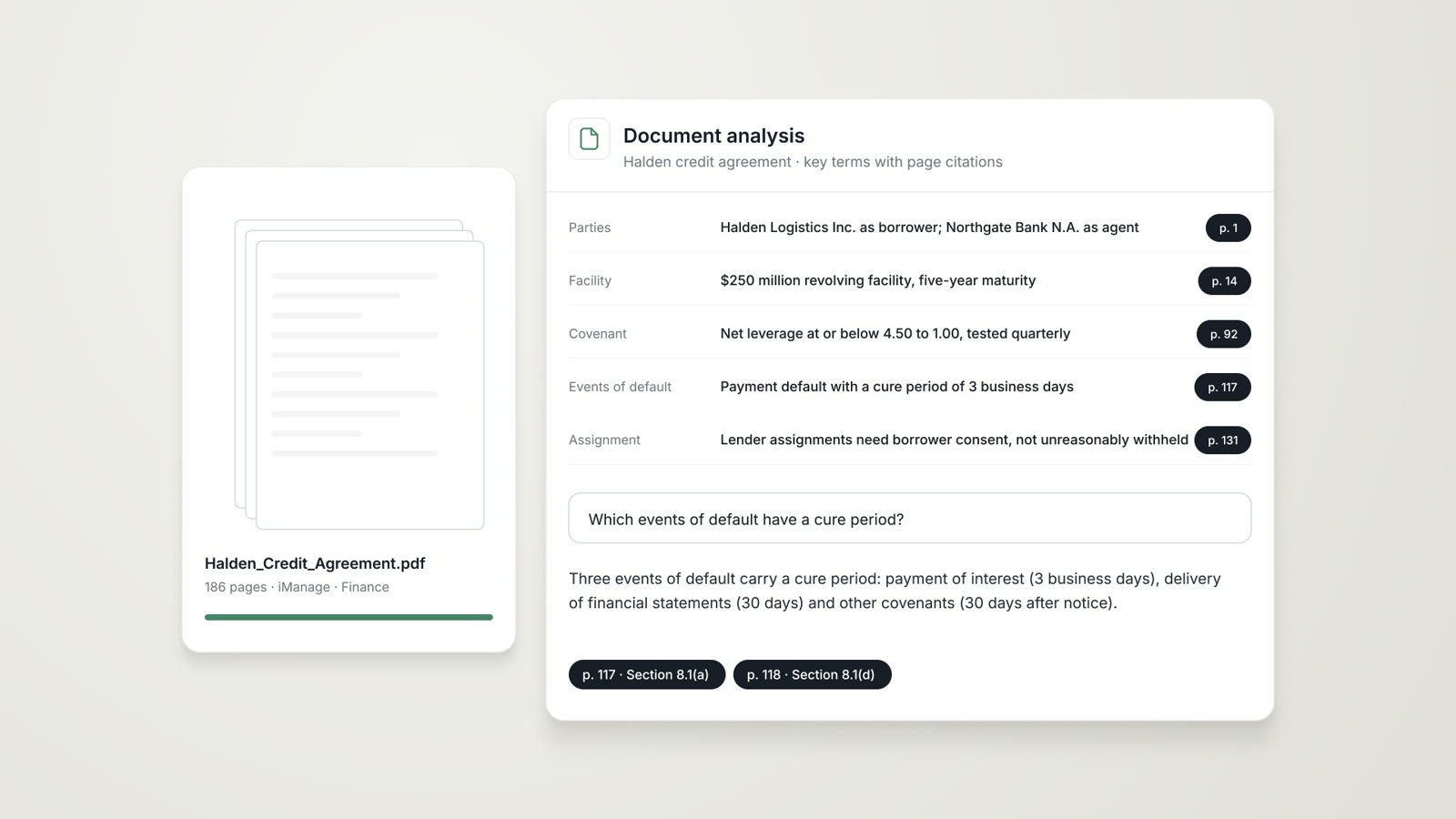
Accounting
Workpapers and financial statements reviewed, related parties found and standards connected to your firm's prior positions.
Read more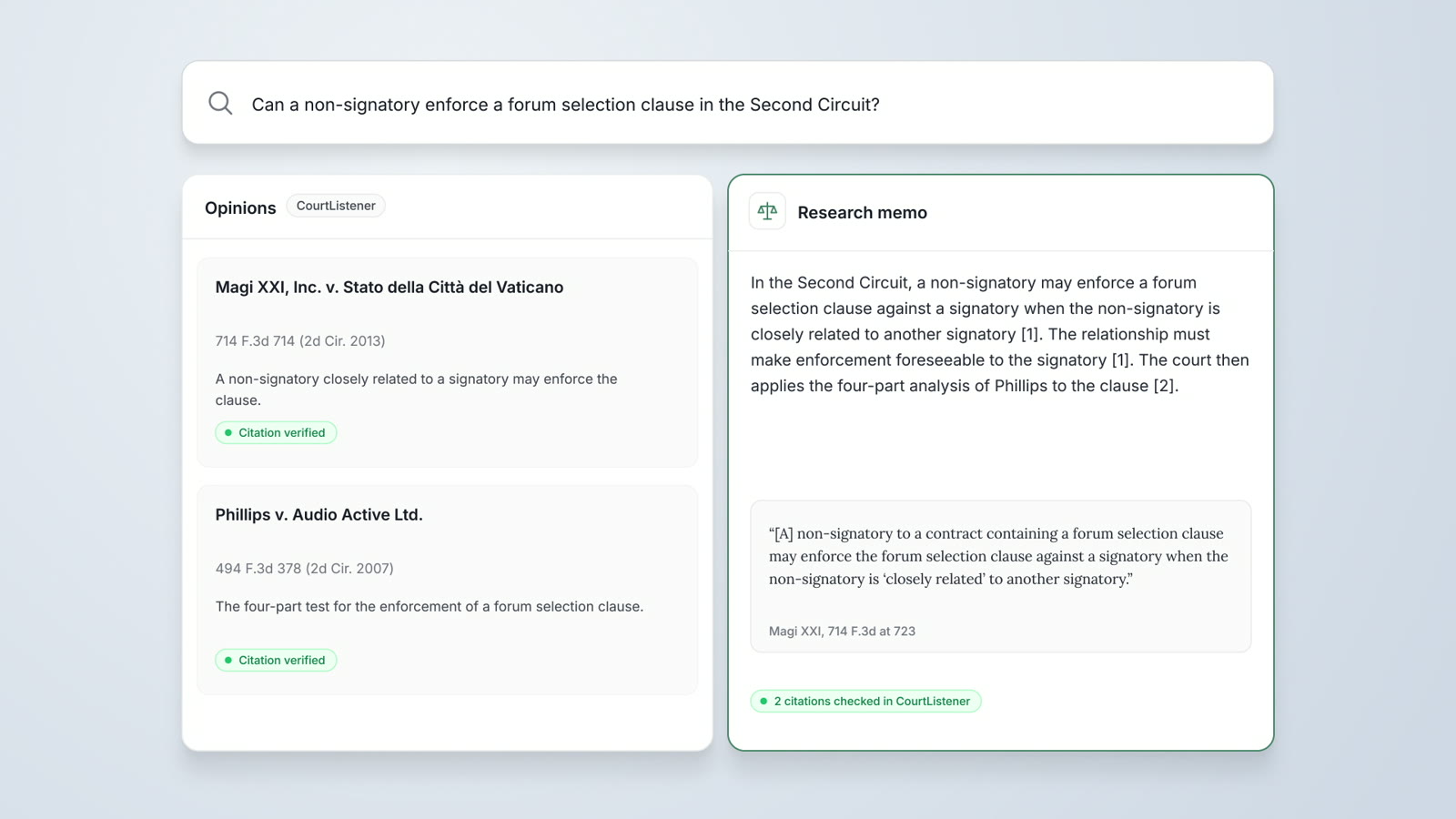
Legal Research
Research agents verify each opinion in CourtListener, cite SEC filings from EDGAR and prepare a cited research memo.
Read moreData Analysis
Billing entries, financial statements and transaction data analyzed, with anomalies flagged and each finding tied to the source rows.
Read moreQuestions attorneys ask
What does AtlasAI do for a tax practice?
AtlasAI compares tax requirements across jurisdictions, reviews provisions against current rules, quantifies exposure and prepares filing workpapers, with each authority cited.
Which tax sources does AtlasAI use?
AtlasAI reads the rules, OECD guidance and documentation the attorney supplies, your firm's prior positions, case law in CourtListener and SEC filings in EDGAR. Legal Research with CourtListener and EDGAR is part of the Professional plan.
Can AtlasAI review a Section 174 calculation?
Yes. AtlasAI reviews R&D tax credit calculations against the Section 174 amortization requirements the attorney supplies, and flags each calculation that departs from the rule.
Can AtlasAI analyze spreadsheets?
Yes, on Enterprise. Data Analysis reads XLSX and CSV files, such as tax workpapers and entity data.
Who sees each tax matter?
Each user sees only the documents that user may open, with your firm's iManage permissions and ethical walls applied. AtlasAI logs every question, answer and agent step.
Where does AtlasAI run?
AtlasAI runs in the AtlasAI cloud or in your firm's Azure subscription, with the same controls in both. The cloud uses a US region by default, or an EU, UK or Canada region on Enterprise.
Does AtlasAI train models on tax documents?
No. Under the Master Subscription Agreement, AtlasAI uses no customer data to train, fine-tune or improve any model, and zero data retention terms bind every approved model provider.