Your controls on every agent step
AtlasAI works inside your firm's controls: your Azure subscription or the AtlasAI cloud, your iManage permissions and ethical walls, and an audit log of every question, answer and agent step. Each attorney gets answers only from documents that attorney may open.
3-day free trial on one matter. No setup fee.
Attorneys draft, review and research with AtlasAI, starting from their best past work.


Connected to the systems your firm already uses
AtlasAI reads documents, matters and positions from the systems your firm already uses, and applies each system’s permissions to every answer.
 iManage
Workspaces, folders and documents from iManage Work, with new versions saved back to the workspace.
 SharePoint
Sites and document libraries, indexed with each library's permissions.

Workspaces and documents from NetDocuments, read with each attorney's access rights.

Clients, matters and attorney assignments from Intapp, so every answer starts from the matter.
Six protections of the AtlasAI security program
Four protections apply in both deployments, and two apply to a self-hosted deployment in your firm's Azure subscription.
Inside the perimeter in a self-hosted deployment
A self-hosted deployment operates inside your firm's Azure subscription, with no external hosting, no shared compute and no data leaving the environment your IT team controls.
Inherited controls in a self-hosted deployment
A self-hosted deployment inherits your firm's retention rules, data loss prevention (DLP) policies, conditional access and network segmentation without change.
No training exposure
Client documents, work product, prompts and answers never train a model, and zero data retention terms bind every approved model provider.
Isolated models and data
Each firm's knowledge graph and vector embeddings are partitioned, no model state persists between requests, and a self-hosted firm may use a private model endpoint inside its Azure subscription.
Contractual protections
The deployment agreement includes enforceable terms on data isolation, access restrictions, incident notification timelines and ongoing compliance obligations, and your security team may audit each term.
Continuous validation
Independent security firms perform penetration tests and architecture reviews of the platform, and AtlasAI shares the results with each deploying firm.
Deployment
Inside your firm's perimeter
A self-hosted deployment operates inside your firm's Azure subscription, with no external hosting and no shared compute, so your IT team defines the attack surface. The managed AtlasAI cloud has the same controls, encryption and audit logging, and AtlasAI operates the infrastructure.
- Your firm's Azure subscriptionAtlasAI deploys from templates into any Azure region available to your subscription, and self-hosted deployments use no AtlasAI sub-processors.
- Firm policies applyYour firm's retention rules, data loss prevention (DLP) policies, conditional access and network segmentation apply to AtlasAI unchanged.
- The AtlasAI cloudThe managed service uses a US region by default and a dedicated EU, UK or Canada region on Enterprise.
Data
No model trained on firm data
Under the Master Subscription Agreement, AtlasAI uses no customer data to train, fine-tune or improve any model, whether AtlasAI's, a model provider's or a third party's. Every approved model provider works under zero data retention terms, inference stays in the data's region, and no model state persists between requests.
- Restricted classificationAtlasAI classifies documents, prompts, answers, chat history and workspace files as Restricted. AtlasAI encrypts all customer data with AES-256 at rest and TLS 1.2 or higher in transit, and logs every access.
- Partitioned per firmEach firm's knowledge graph and vector embeddings are partitioned from every other firm, and Enterprise firms may choose a dedicated logical database.
- Private model endpointsIn a self-hosted deployment, your firm uses an enterprise model endpoint in your Azure subscription or a private model endpoint you operate.
Permissions
Answers only from permitted documents
AtlasAI authenticates and authorizes every request on the server, and applies your firm's iManage permissions and ethical walls to every answer and agent step. Each user gets answers only from documents that user may open. The document system connections are part of the Professional plan, and single sign-on is part of Enterprise.
- Single sign-onOn every plan, attorneys sign in with Microsoft or Google. On Enterprise, the managed service supports SAML or OIDC single sign-on through Microsoft Entra ID or Okta, with MFA. A self-hosted deployment uses your identity provider and conditional access policies unchanged.
- RolesSuper-admin, admin, member and viewer roles govern every action inside the application.
- Access per matterSet access for each matter and each document in the matter, and ethical walls hold in chat, search and agent workflows.
Audit and validation
Every step logged, the platform tested
AtlasAI logs every question, answer and agent step at the application and infrastructure layers. Independent security firms run penetration tests and architecture reviews at least once a year and after every material architecture change, and AtlasAI shares the results with each deploying firm.
- Two log layersThe application log covers sign-ins, document opens, chat questions and admin changes; the infrastructure log covers database access, object storage, vault operations and request traffic.
- Retention and exportThe managed service keeps both logs for 365 days with export, and a self-hosted deployment streams every log into your SIEM.
- Continuous detectionAtlasAI scans cloud posture, scans dependencies on every pull request and monitors runtime threats. AtlasAI also supports penetration tests by your firm under agreed rules of engagement.
The AtlasAI cloud or your Azure subscription, with the same controls
The control set, the encryption, the audit logging and the compliance program are identical in both models. The difference is the operator of the infrastructure.
| Capability | Managed, in the AtlasAI cloud | Self-hosted, in your firm's Azure subscription |
|---|---|---|
| Hosting environment | The AtlasAI cloud, operated by AtlasAI, with a dedicated region on Enterprise | Your firm's Microsoft Azure subscription, deployed from AtlasAI templates |
| Data residency | A US region by default; EU, UK or Canada on Enterprise | Any Azure region where your firm places the resource group |
| Encryption at rest | AES-256 with service-managed keys; customer-managed keys on Enterprise | AES-256 with your firm's customer-managed keys by default |
| Encryption in transit | TLS 1.2 or higher, end to end | TLS 1.2 or higher, end to end |
| Identity and single sign-on | Sign-in with Microsoft or Google on every plan; on Enterprise, SAML or OIDC single sign-on through Microsoft Entra ID or Okta, with MFA enforced for the workforce | Your firm's identity provider, with your conditional access and MFA policies unchanged |
| Audit logging | Application and infrastructure logs kept 365 days, with customer export | Every log stays in your environment and streams into your SIEM |
| Model inference | Enterprise model endpoints in region under zero data retention terms, with no customer data used for training | Enterprise model endpoints in your Azure subscription, or a private model endpoint your firm operates |
| Sub-processors | Disclosed under NDA on request by email to [email protected], with 30 days of notice before a material change | None: every component operates in your Azure subscription under your firm's existing DPAs |
| Backups and recovery | 30-day point-in-time database restore, soft-delete and versioning on object storage, and quarterly restore drills | The same baseline templates, with retention set to your firm's standards |
| Incident response | The AtlasAI incident response team, with customer notification within 72 hours of confirmation | Your incident response team leads, with AtlasAI forensic support under contract |
| Compliance | Security program on the SOC 2 Trust Services Criteria, with the current audit status shared under NDA; control set mapped to the HITRUST CSF e1 tier; BAA on Enterprise | The same AtlasAI control set, operated inside your firm's security program |
| Best fit | In-house legal teams, mid-market firms and teams that standardize on a managed service, with onboarding and no infrastructure work | AmLaw 200 firms, regulated industries such as healthcare, banking and government, and firms with mature security programs |
Compliance inside your firm's frameworks
AtlasAI runs the security program on the SOC 2 Trust Services Criteria, and the AtlasAI security team shares the current audit status and the control documentation with your security reviewers.
SOC 2 Trust Services Criteria
Trust Services CriteriaThe AtlasAI security team shares the current audit status and the control documentation under NDA.
HITRUST CSF
Mapped to the e1 tierAtlasAI maps the control set of the platform to the HITRUST CSF entry tier.
HIPAA
BAA on EnterpriseAtlasAI operates on HIPAA-eligible infrastructure and offers a Business Associate Agreement on Enterprise.
GDPR and CCPA
Standard DPAThe standard Data Processing Agreement covers GDPR and CCPA and discloses each sub-processor of the managed service.
What your security team receives under NDA
Under NDA, your security team receives the AtlasAI Security and Compliance Posture Report and 12 corporate policies. The policies cover Information Security, Access Control, Change Management, Incident Response, Business Continuity and Disaster Recovery, and Vendor Management. The rest cover Data Classification, Encryption, Vulnerability Management, Secure Development Lifecycle, Acceptable Use and HR Security. Your team also receives dated artifacts: the risk register, the quarterly access review, the restore drill report, the workforce training log and the annual security program review. Request access by email to [email protected].
A self-hosted deployment operates under your firm's existing controls
A self-hosted deployment brings AtlasAI under every security control your firm already operates: the firewalls, the SIEM, identity governance and the network policies. Your security team defends no new perimeter, and AtlasAI operates under the same controls as your other systems.
The managed AtlasAI cloud applies the same control set, with encryption, audit logging, zero data retention terms and incident response operated by AtlasAI.
In both models, your security team reviews the architecture with an AtlasAI engineer. The review covers where each document is stored, which users may open each document, and how each log entry reaches your SIEM.
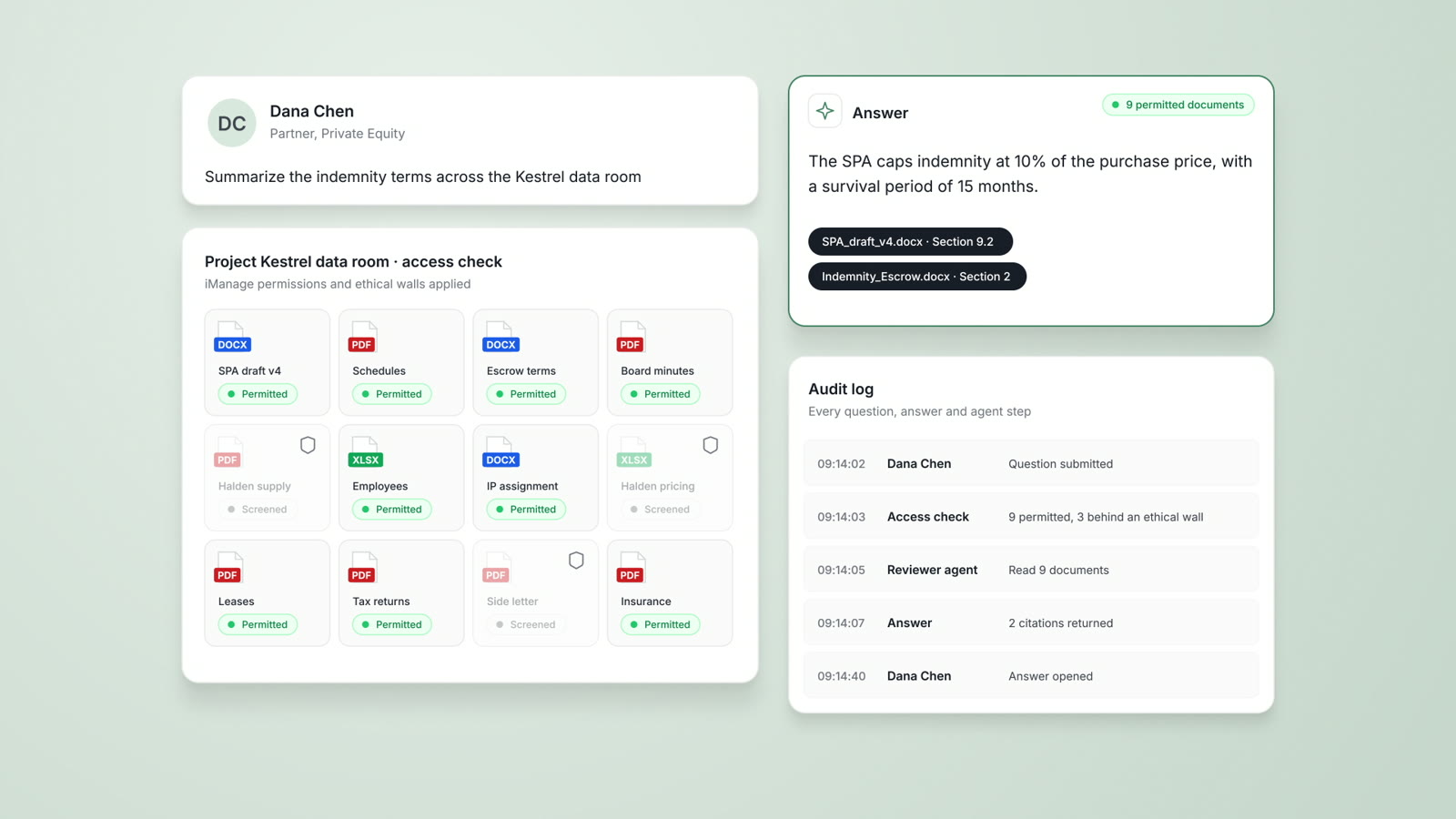
An associate asks across a walled data room
Project Kestrel, a buy-side private equity M&A matter, with 3 of the 12 data room documents restricted to the clean team.
What AtlasAI reads
iManageSharePointProject Kestrel data room9 of 123 documents withheldSam Okafor, AssociateYou ask
Indemnity terms from the 9 documents Sam Okafor may open, with the 3 clean team documents excluded and every step logged
The associate asks
Sam Okafor asks AtlasAI for the indemnity terms across the 12 documents of the Project Kestrel data room.
AtlasAI checks access
AtlasAI reads the iManage permissions of each document and excludes the 3 clean team documents before any agent step.
AtlasAI answers
The answer summarizes the indemnity terms from the 9 permitted documents, with a citation on each statement.
The security team reviews
The audit log contains the question, the answer, each agent step and each document AtlasAI opened, and the security team exports the log to the firm's SIEM.
Questions security teams ask
Where does AtlasAI run?
AtlasAI runs as a managed cloud service or as a self-hosted deployment in any Azure region of your firm's subscription. The cloud uses a US region by default, or an EU, UK or Canada region on Enterprise. The architecture, encryption, audit logging and compliance program are identical in both models, and model inference happens in the data's region. AtlasAI offers no multi-cloud or shared-compute deployment.
How does AtlasAI define customer data?
Customer data covers everything your firm uploads, such as documents, contracts, data rooms and knowledge graph inputs. Customer data also covers everything your firm generates in AtlasAI, such as prompts, answers, chat history and workspace files. AtlasAI classifies all customer data as Restricted: encrypted at rest and in transit, open only to the users your firm designates, and logged on every access.
Does AtlasAI use our data to train models?
No. Under the Master Subscription Agreement, AtlasAI uses none of your firm's inputs, outputs, documents or interaction data to train, fine-tune or improve any model. The ban covers models of AtlasAI, of model providers and of third parties, and every approved model provider works under zero data retention terms. If your firm wants a private model tuned on firm data, your firm can build the model in a self-hosted deployment. The model and the data then stay in your Azure subscription.
What encryption does AtlasAI use, and who holds the keys?
AtlasAI encrypts data at rest with AES-256 and in transit with TLS 1.2 or higher. The managed service uses service-managed keys by default, with customer-managed keys on Enterprise and in self-hosted deployments. With customer-managed keys, your firm holds and rotates the root keys in your hardware security module and can revoke AtlasAI access at any time. AtlasAI stores application secrets in a hardware-backed vault with soft-delete and purge protection, and the application reads each secret through a managed identity, never through embedded credentials.
Who are the AtlasAI sub-processors?
For the managed service, the sub-processor categories are cloud infrastructure, in-region model inference, authentication, billing, and source control and CI. A Data Processing Agreement binds every sub-processor, and the current vendor list is available under NDA from [email protected]. AtlasAI gives at least 30 days of notice before a material change, and a self-hosted deployment uses no AtlasAI sub-processors.
What happens during a security incident?
Under the AtlasAI incident response policy, AtlasAI responds to SEV-1 incidents around the clock, to SEV-2 incidents within 2 hours and to SEV-3 incidents on the next business day. AtlasAI notifies each affected customer without undue delay and no later than 72 hours after confirmation. AtlasAI completes a written post-incident review of every SEV-1 and SEV-2 incident within 5 business days. In a self-hosted deployment, your incident response team leads, with AtlasAI forensic support under contract and full SIEM visibility from the start.
What backups does AtlasAI keep?
The managed service keeps a 30-day point-in-time restore of the database, 14 days of soft-delete and versioning on object storage, and soft-delete with purge protection on the secret vault. AtlasAI runs restore drills against production backups every quarter. A self-hosted deployment includes the same baseline templates, and your firm sets retention to your standards.
What happens to our data when we leave?
AtlasAI keeps customer data for the term of the subscription. AtlasAI deletes the data within 30 days of the end of the contract or of a written request, with written confirmation. Backups that hold deleted data expire on the normal cycle: within 30 days for the database and 14 days for object storage. In a self-hosted deployment, your firm deletes the resource group, and no data leaves your Azure subscription.
Related pages
Private legal AI
One knowledge graph from iManage and SharePoint, deployed in your firm's Azure subscription or the AtlasAI cloud.
Read more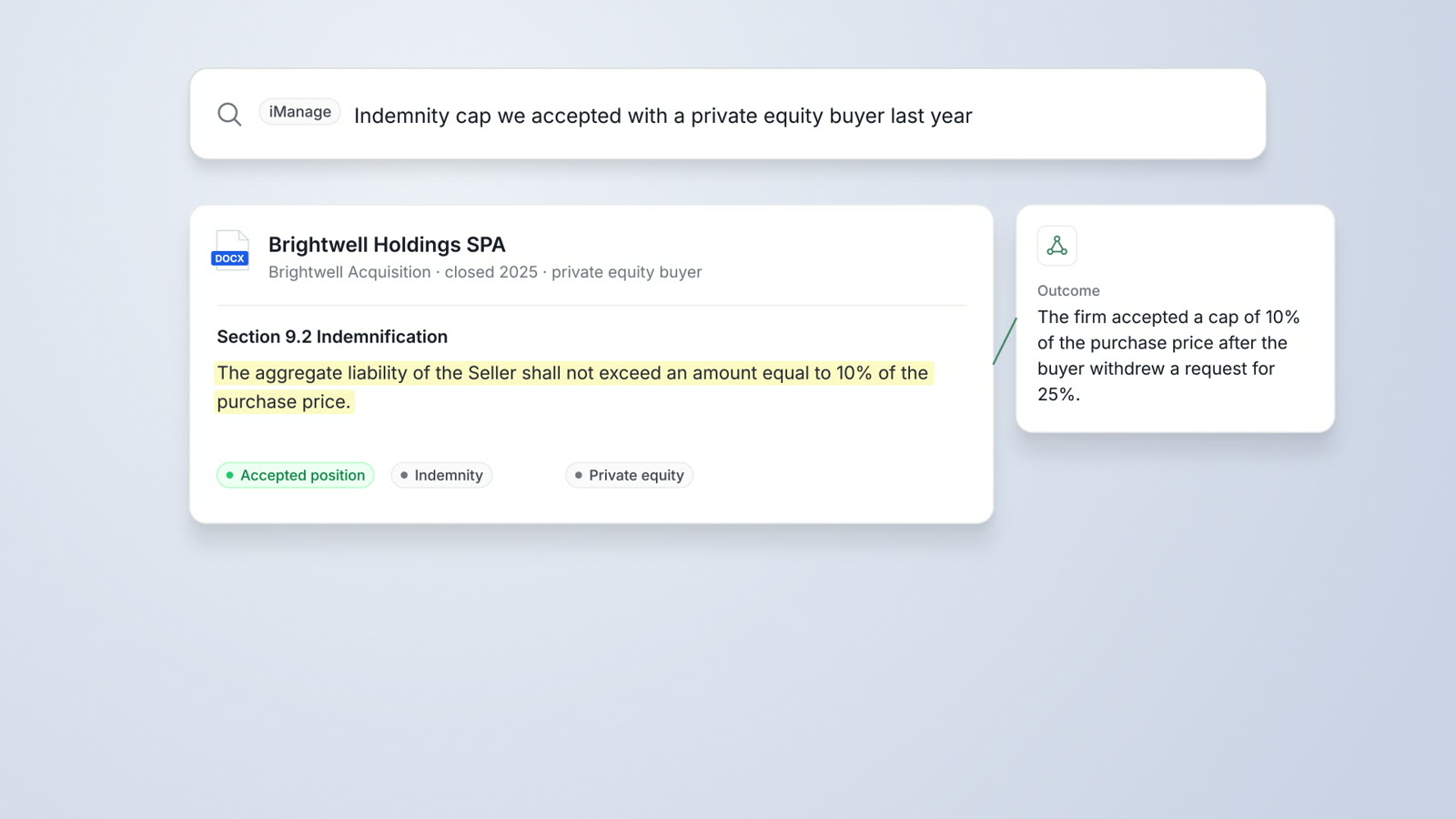
DMS Integration
iManage Work, SharePoint and OneDrive connected, with iManage permissions and ethical walls applied and results saved back.
Read more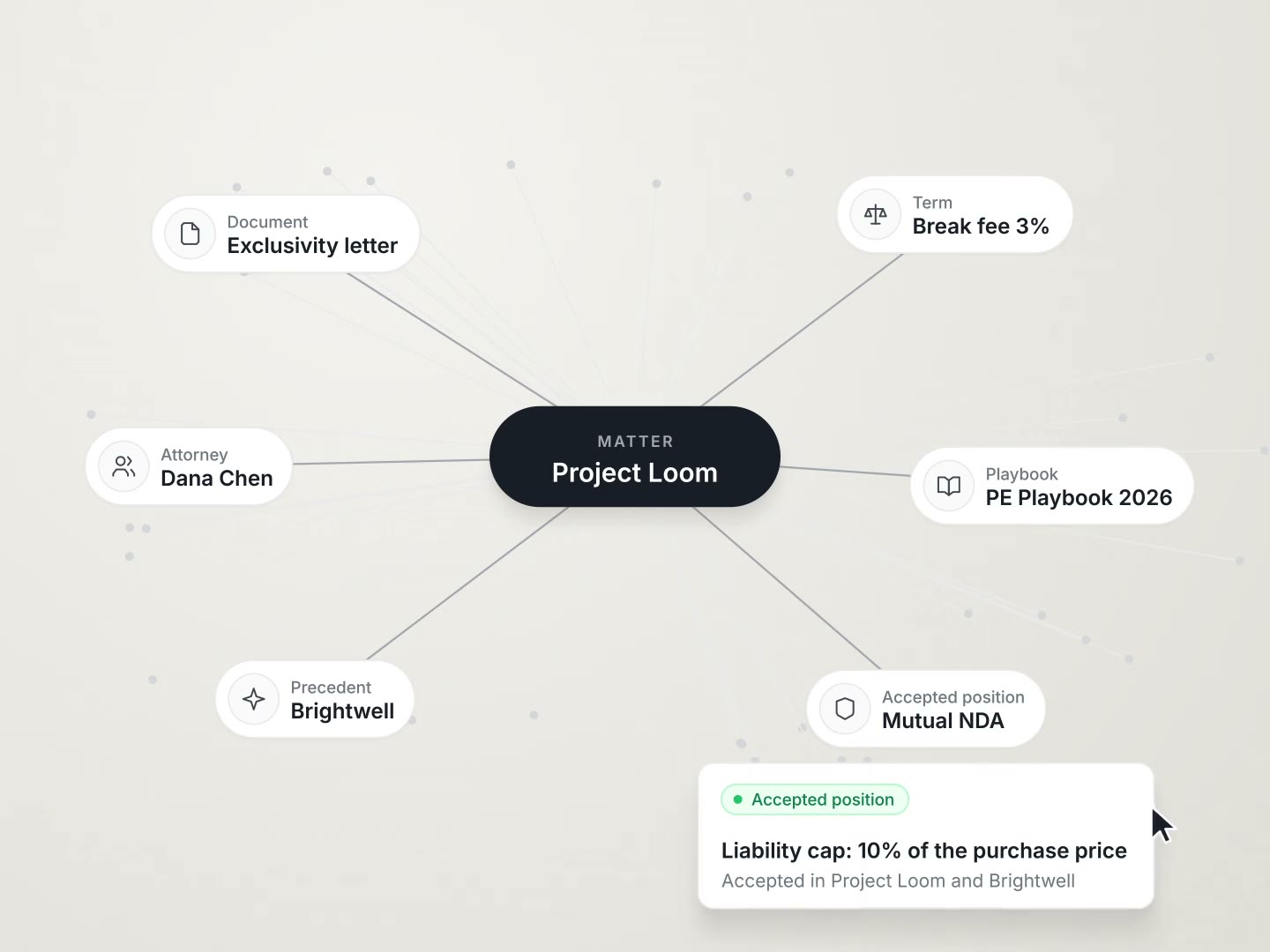
Law firms
Your firm's strongest precedent on request, write-off analysis by practice group and client-ready matter reports.
Read more