Legal document automation from your firm's precedent
AtlasAI automates legal documents from your firm's precedent. AtlasAI drafts agreements, letters and memos from the signed agreements of closed matters and your clause library, inside Microsoft Word, and every change arrives as a tracked change.
3-day free trial on one matter. No setup fee.
Attorneys draft, review and research with AtlasAI, starting from their best past work.



Drafting from precedent
Start each document from your firm's strongest signed language
AtlasAI finds the relevant precedent clauses across your firm's document history and starts each new agreement from the firm's strongest language. You select a clause from your clause library, or accept the language AtlasAI suggests from past deals.
- Precedent on requestAsk for the indemnification language of your last 10 closings, with the matter of each clause.
- The clause librarySelect an approved clause, or accept the language AtlasAI suggests.
- Drafting in WordThe AtlasAI add-in inserts each change as a tracked change.
Templates and intake
Matter documents from the first intake form
Matter templates add the fields, tasks, key dates, folders and workflows each matter type needs when a matter opens. When the client signs the engagement letter electronically, AtlasAI opens the matter with the intake answers and documents in place.
- Matter templatesDefine each matter type once, and every new matter starts complete.
- Intake formsStart from one of six templates, or describe the form in a sentence.
- Engagement by e-signatureThe signed engagement letter opens the matter.
Workflows and playbooks
Multi-step documents with an attorney checkpoint
Agentic workflows chain research, analysis, extraction, comparison and reporting into one cited work product, with an attorney checkpoint and every step logged. On AtlasAI Enterprise, Playbooks check each draft against your firm's approved positions, preferred language and fallbacks.
- Agentic workflowsAtlasAI drafts part of the document at each step, and an attorney approves the result.
- PlaybooksEach departure from your firm's standard arrives with the playbook entry behind the change.
- Every step loggedYour firm can review the documents AtlasAI read and the output of each step.
Template assembly and drafting from precedent
Legal document automation takes two forms. Many firms use template assembly for fixed-form documents and drafting from precedent for negotiated agreements.
| Question | Template assembly | Drafting from precedent in AtlasAI |
|---|---|---|
| Where does each document start? | A template and a questionnaire your team maintains | The signed agreements of your closed matters and your clause library |
| Which documents fit best? | High-volume documents with a fixed structure | Negotiated agreements that change from deal to deal |
| Who maintains the source? | Your team updates each template when a position changes | AtlasAI drafts from your latest signed agreements and approved clauses |
| What does the attorney receive? | A completed document from the answers | A draft in Word with tracked changes and the source of each clause |
Built for the security review of a law firm
AtlasAI runs the security program on the SOC 2 Trust Services Criteria, and the AtlasAI security team shares the current audit status and the control documentation with your security reviewers. Under NDA, your security reviewers receive the AtlasAI Security and Compliance Posture Report and 12 corporate policies. Each deploying firm also receives the penetration test results.
Your deployment
Run AtlasAI in the AtlasAI cloud or in your firm’s Azure subscription, with the same controls in both.
Your permissions
AtlasAI agents read only the documents each user may open, with your iManage permissions and ethical walls applied to every step.
Your data
AtlasAI trains no model on your data, and every approved model provider works under zero data retention terms.
Your audit log
AtlasAI logs every question, answer and agent step. The managed service keeps the log for 365 days, with export, and a self-hosted deployment streams the log into your SIEM.
Related pages
AI contract drafting
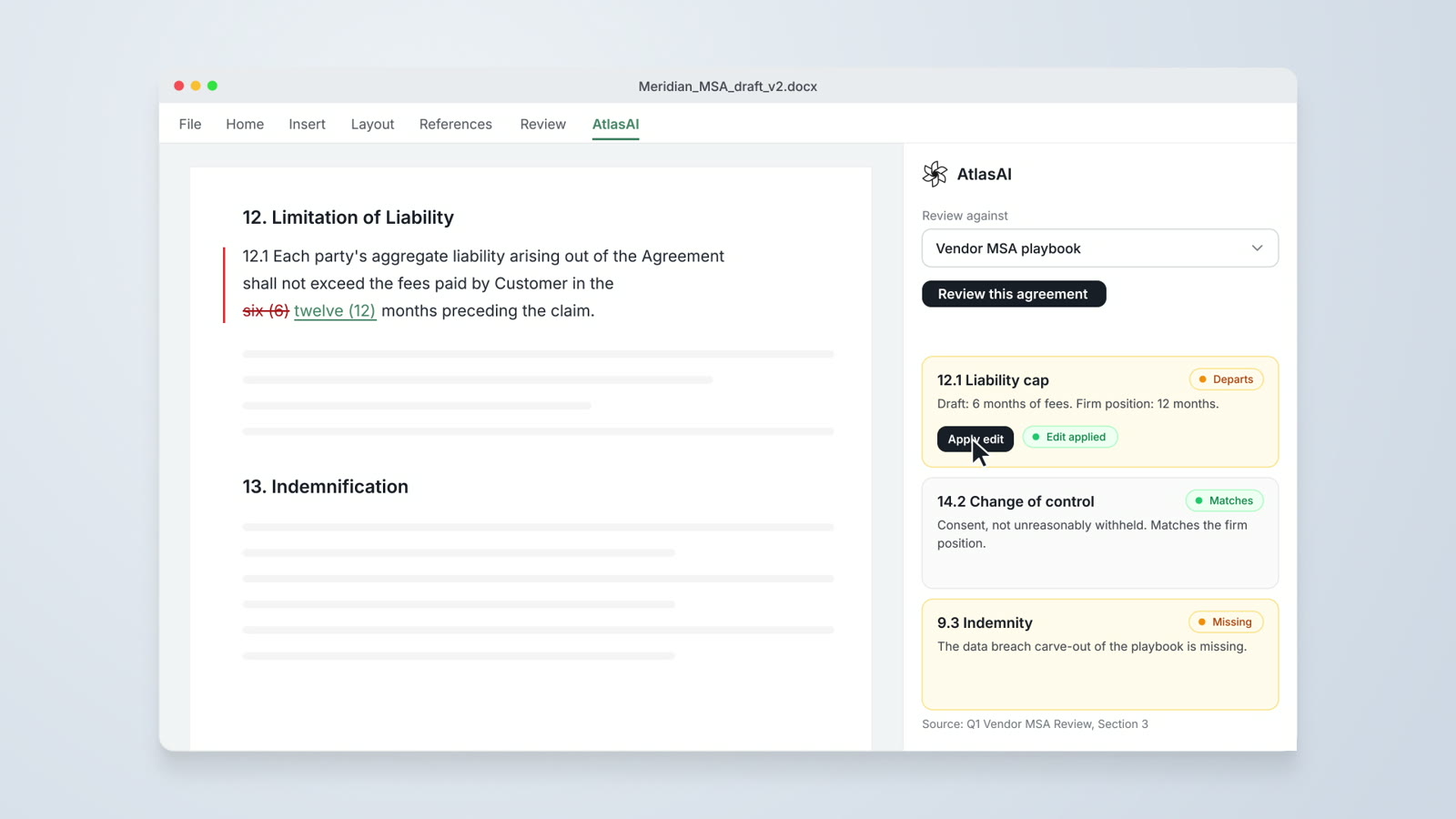
Draft from your firm's precedent and redline against your preferred language in Word.
Read moreAtlasAI for Microsoft Word
Draft, redline and review in Word with your firm's playbooks and precedent.
Read more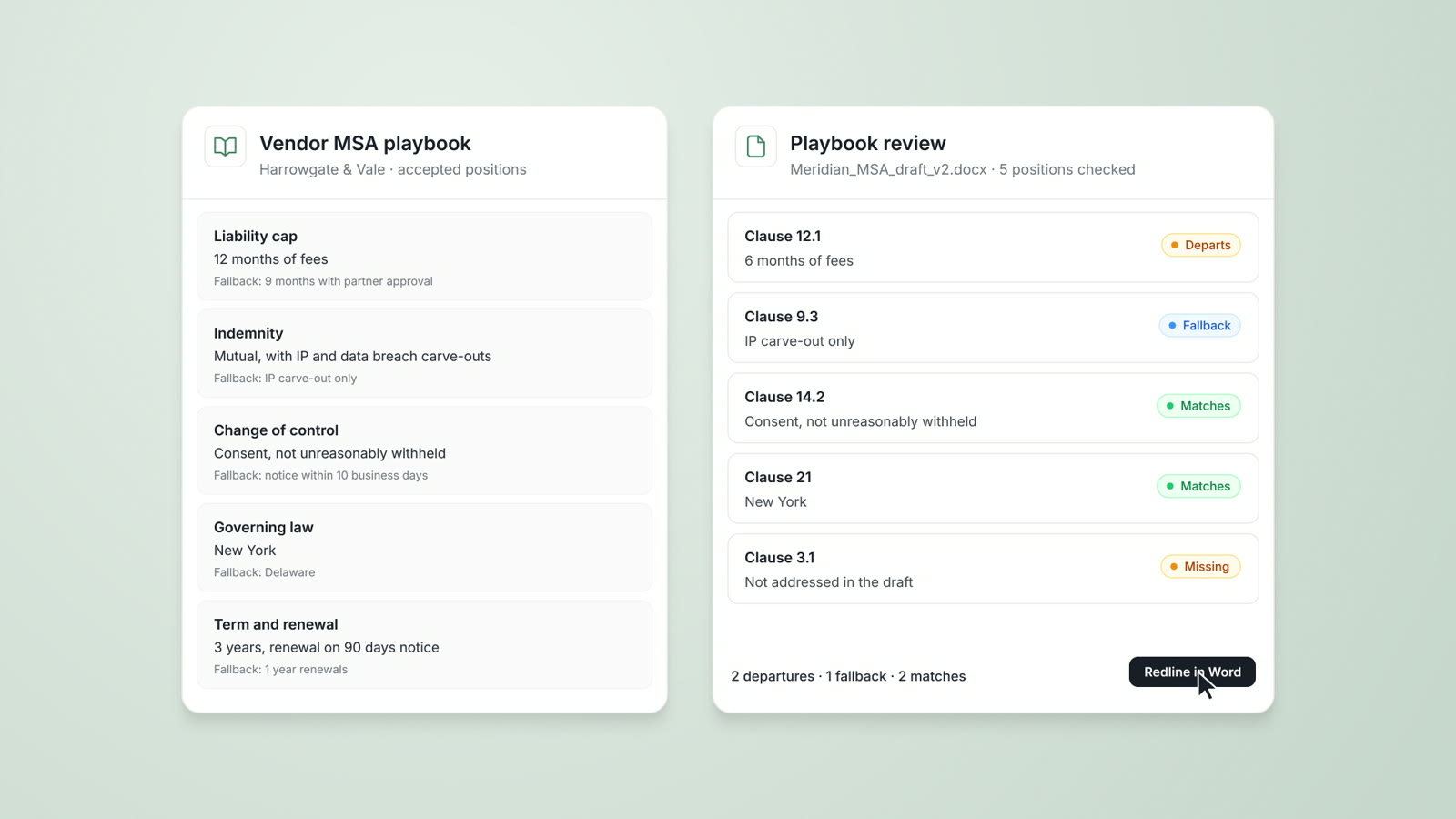
Playbooks
Your firm's approved positions, preferred language and fallbacks, checked on every document.
Read moreQuestions about legal document automation
Does AtlasAI replace template assembly software?
AtlasAI drafts from your firm's precedent and clause library, which suits negotiated agreements. A firm with high-volume fixed-form documents can keep template assembly for those documents.
Does AtlasAI work in Microsoft Word?
Yes. The AtlasAI add-in for Word drafts from precedent, redlines a counterparty draft and checks a draft against your playbooks, and every change arrives as a tracked change.
Which AtlasAI plans include drafting?
AtlasAI Starter includes drafting for $25 per user per month. AtlasAI Professional adds Agentic Workflows for $99 per user per month, and AtlasAI Enterprise adds Playbooks and AI Assistants.
Can AtlasAI draft from our iManage documents?
Yes. AtlasAI reads your iManage documents with each attorney's iManage permissions and saves the draft to the matter folder in iManage.
How does a firm try AtlasAI?
Every AtlasAI plan starts with a 3-day free trial on one matter, and AtlasAI charges no setup fee.