Legal AI that works with iManage
AtlasAI works with iManage Work through the iManage Work Universal API. Each attorney signs in with an iManage account, AtlasAI applies the attorney's iManage permissions and ethical walls, and AtlasAI saves the work back to the matter folder in iManage.
3-day free trial on one matter. No setup fee.
Attorneys draft, review and research with AtlasAI, starting from their best past work.



Search iManage
Search workspaces, folders and documents from AtlasAI
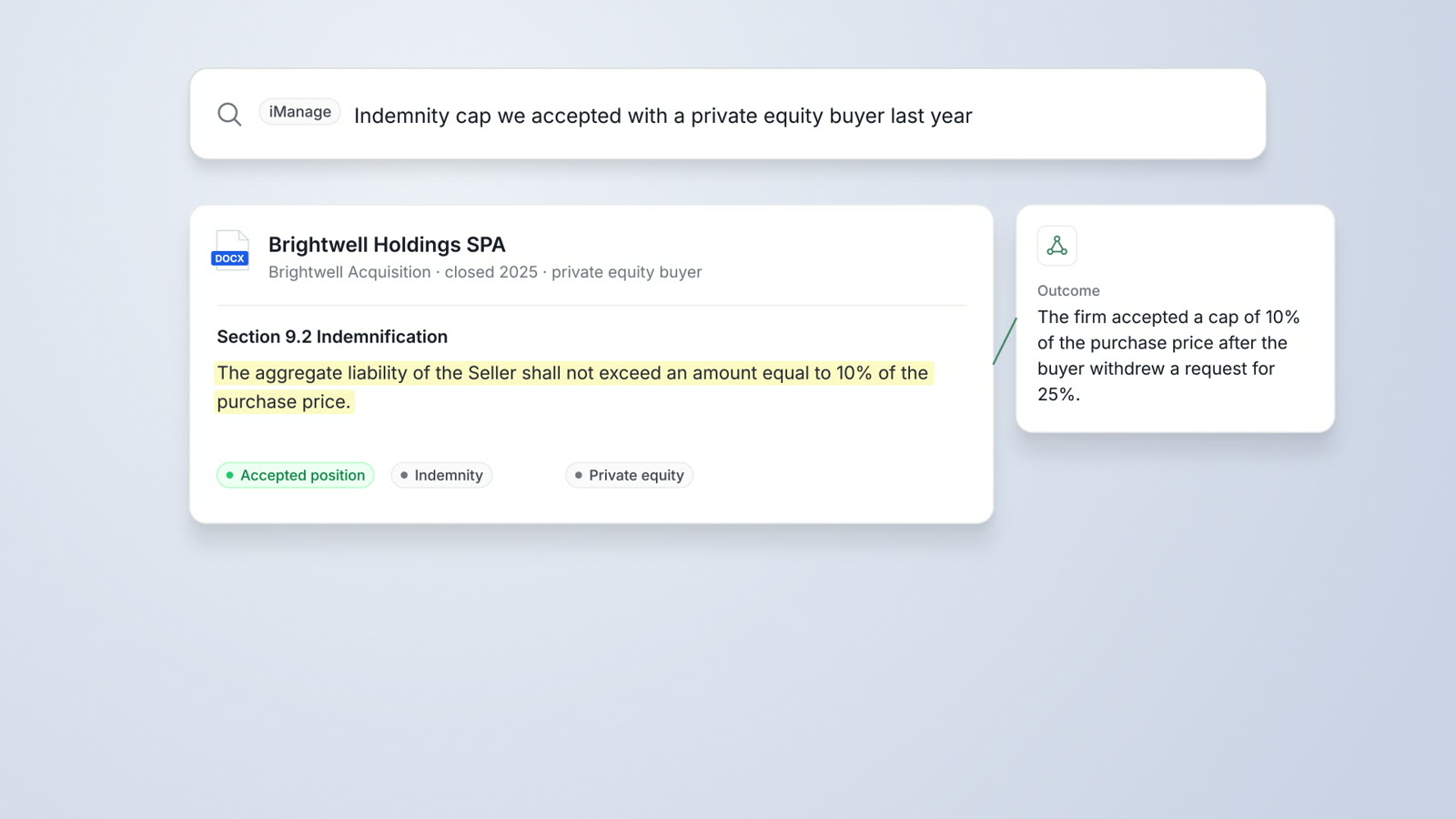
Your attorneys search iManage from AtlasAI: workspaces and folders by title, and documents by title and by content. An attorney then adds the documents a matter needs to a chat, a review or a draft.
- Search by matterAtlasAI groups the results by matter, with the client and the counterparty of each matter.
- Legal conceptsA search for change of control returns the clauses that address a change of control under any heading.
- Answers with sourcesAtlasAI answers each question with a link to each source document.
Permissions and walls
Each attorney sees only what the attorney can open in iManage
AtlasAI applies your existing iManage access rights and ethical walls, so each attorney sees only the documents the attorney can open in iManage. AtlasAI sends every request to iManage with the attorney's sign-in.
- Attorney sign-inEach attorney signs in to iManage from AtlasAI.
- Ethical wallsA wall in iManage applies to every answer and every agent step in AtlasAI.
- Approved workspacesAtlasAI reads the workspaces your firm approves.
Save back to iManage
Work product returns to the matter
When an attorney finishes a redline, a summary or a table, AtlasAI saves the file to the matter folder in iManage Work. AtlasAI saves the file as a new document, or as a new version of the source document.
- New documentsSave a memo or a table to the folder of the matter.
- New versionsSave a redline as a new version of the source document.
- One repositoryOriginal documents remain in iManage, with your firm's retention policies.
Questions to ask of any iManage AI integration
Compare legal AI tools for iManage on how each tool connects, whose permissions apply and where the work product goes.
| Question | AtlasAI |
|---|---|
| How does the tool connect to iManage? | Through the iManage Work Universal API, with each attorney's iManage sign-in |
| Whose permissions apply? | Each attorney's iManage access rights and ethical walls |
| Which workspaces does the tool read? | The workspaces your firm approves |
| Do original documents stay in iManage? | Yes. iManage remains the authoritative repository for document storage, permissions and retention |
| Can the tool save work back to iManage? | Yes. AtlasAI saves a new document or a new version to the matter folder |
| Which other systems connect? | SharePoint, OneDrive and NetDocuments, with the permissions of each system |
Built for the security review of a law firm
AtlasAI runs the security program on the SOC 2 Trust Services Criteria, and the AtlasAI security team shares the current audit status and the control documentation with your security reviewers. Under NDA, your security reviewers receive the AtlasAI Security and Compliance Posture Report and 12 corporate policies. Each deploying firm also receives the penetration test results.
Your deployment
Run AtlasAI in the AtlasAI cloud or in your firm’s Azure subscription, with the same controls in both.
Your permissions
AtlasAI agents read only the documents each user may open, with your iManage permissions and ethical walls applied to every step.
Your data
AtlasAI trains no model on your data, and every approved model provider works under zero data retention terms.
Your audit log
AtlasAI logs every question, answer and agent step. The managed service keeps the log for 365 days, with export, and a self-hosted deployment streams the log into your SIEM.
Related pages
iManage and SharePoint integration
Search, open and analyze your iManage, SharePoint and OneDrive documents in AtlasAI.
Read more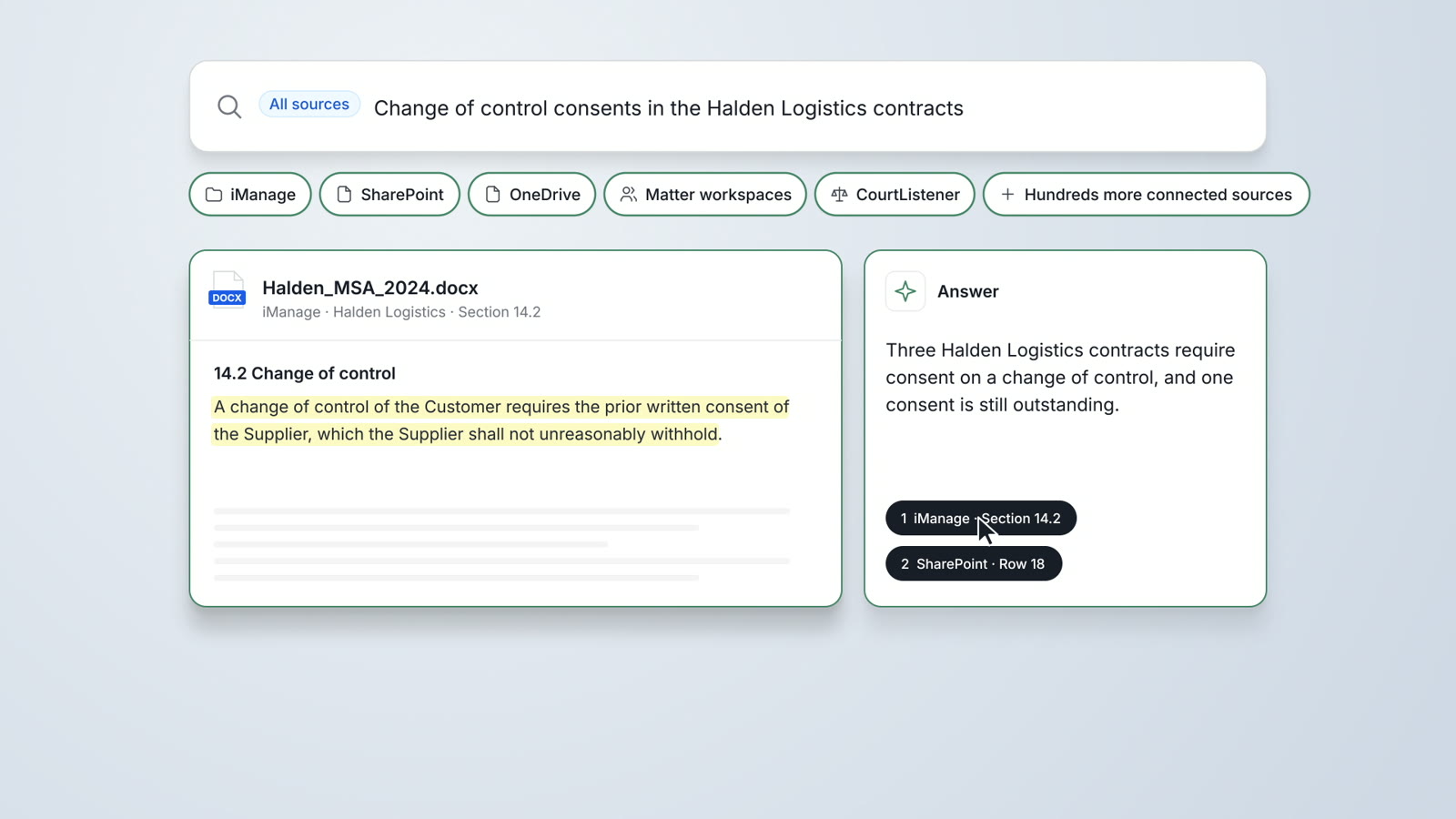
Enterprise search
Search iManage, SharePoint, OneDrive and matter workspaces at once, with a cited answer.
Read more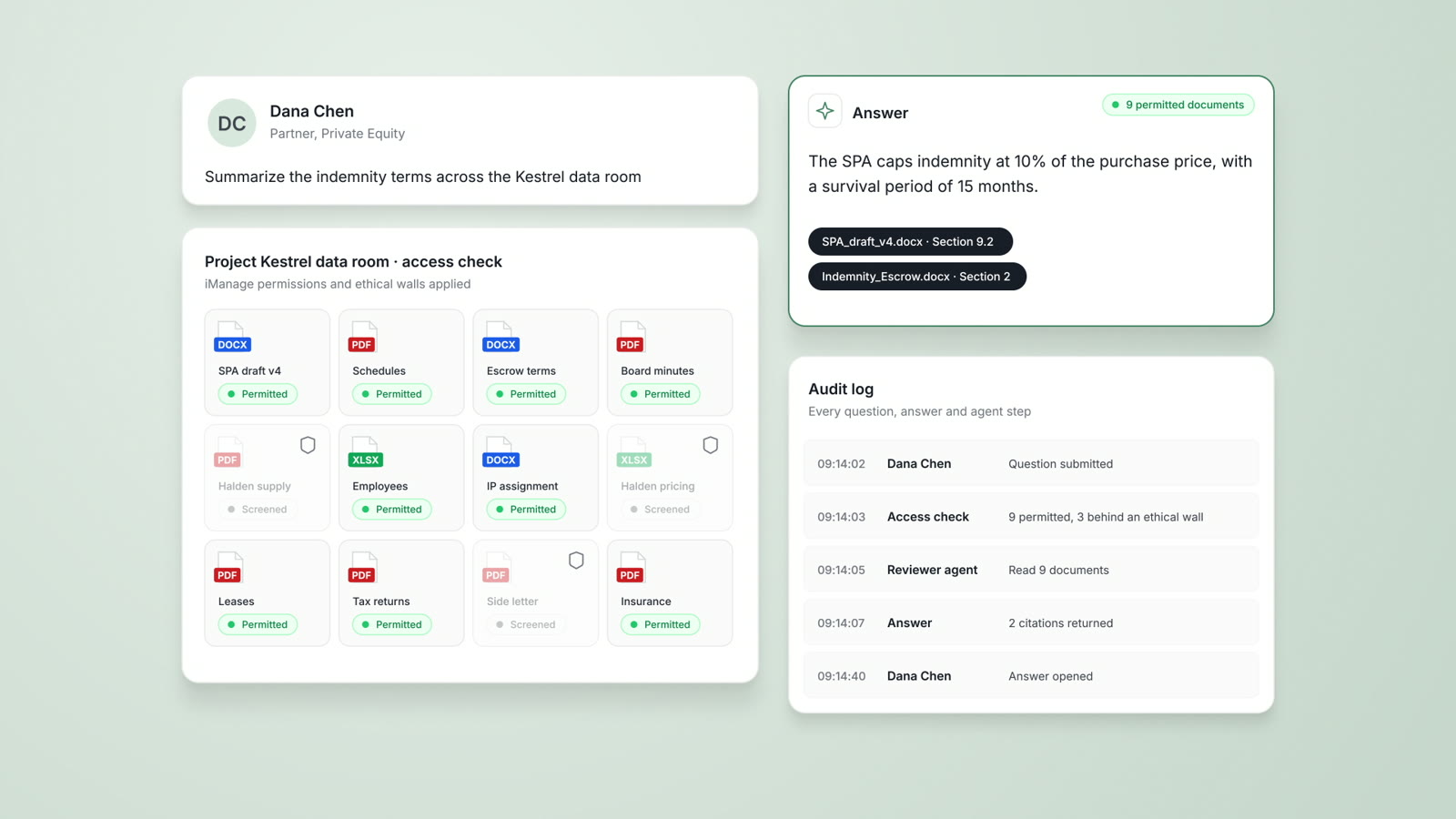
Security
The AtlasAI security program, deployment options and controls.
Read moreQuestions about AtlasAI and iManage
Does AtlasAI replace iManage?
No. AtlasAI does not replace your document management system. Original documents remain in iManage, and iManage remains the authoritative repository for document storage, governance, permissions, retention and access control.
How does a firm connect iManage to AtlasAI?
A firm owner connects the firm's iManage source to AtlasAI through OAuth, and each attorney then signs in with an iManage account.
Which AtlasAI plans include the iManage integration?
DMS integration is part of AtlasAI Professional, at $99 per user per month with a 5-user minimum, and AtlasAI Enterprise.
Does AtlasAI also work with SharePoint and NetDocuments?
Yes. AtlasAI connects to SharePoint, OneDrive and NetDocuments, and applies the permissions of each system to every answer.
Does AtlasAI train models on our iManage documents?
No. Client documents, work product, prompts and answers never train a model, and zero data retention terms bind every approved model provider.